A quick tour of your project
Where to find each planning tool and what the buttons at the top of the page do.
Every project page has the same frame: the menu of planning tools on the left, a bar of buttons at the top, and the tool you opened in the middle.
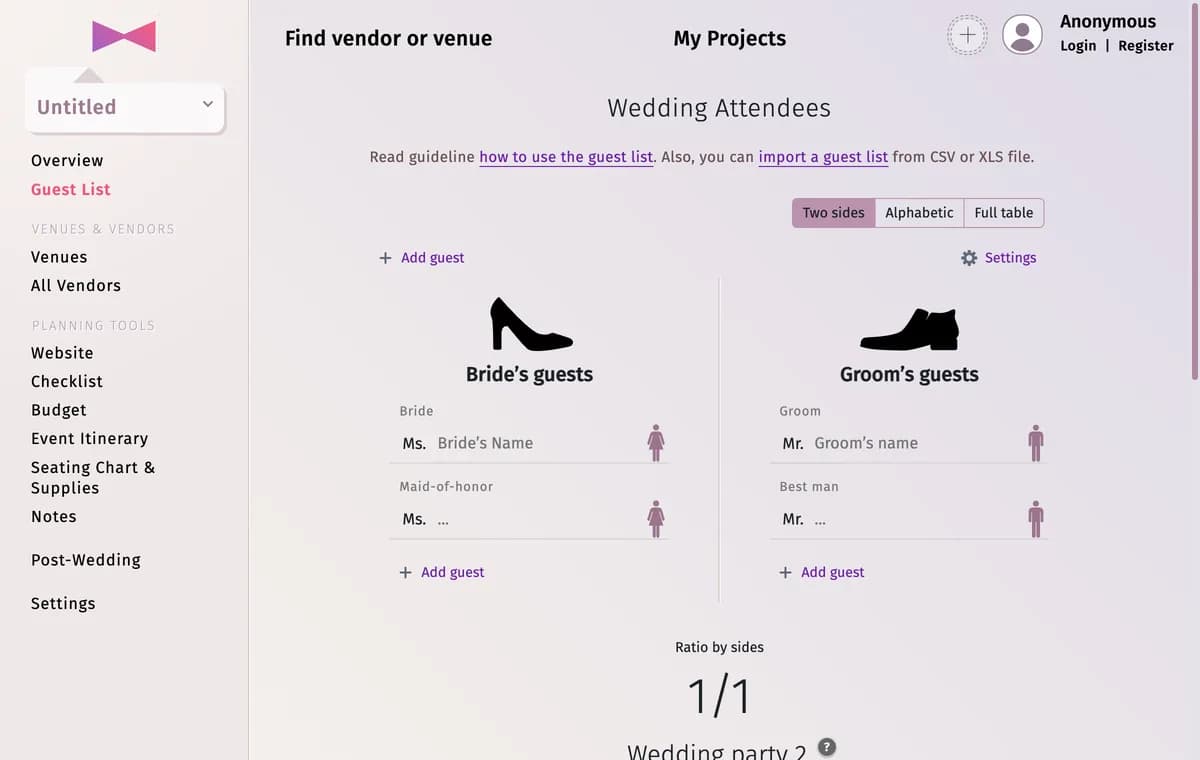
The menu on the left
- The box at the top (Untitled until you name the couple) is your project. Click it to see the list of all your projects.
- Overview — the whole wedding on one infographic: venues, guests, checklist, budget and itinerary.
- Guest List — your guests, their roles, families, meals and RSVP answers.
- Venues — where and when each part of the event takes place.
- All Vendors — the vendors and venues you saved or added yourself.
- Website — your wedding website with its RSVP form.
- Checklist — tasks grouped by how long before the wedding they should be done.
- Budget — planned and actual costs, payments and a spending chart.
- Event Itinerary — the schedule of the wedding day and the days around it.
- Seating Chart & Supplies — the room plan, the seating, and printable stationery such as place cards and table numbers.
- Notes — a notepad for speeches, vows and anything else.
- Post-Wedding — the photo album of your day (Post-Event for other events).
- Settings — the project’s details, units and currency, which tools are shown, copying and deleting.
The bar at the top
- Find vendor or venue — search for wedding vendors and venues.
- My Projects — every project you follow.
- The round button with a plus sign — invite people to the project (see Share your project). The pictures of people who are in the project right now appear next to it.
- Your profile picture — sign in, register or open your profile.
Premium
Once your project is a few days old, the menu also shows Upgrade to Premium. Premium is optional — see Free vs Premium.
Tips and important notes
- Don’t need some tools? Hide them in Settings → Services Visibility — see Hide the tools you don’t use. Overview, Guest List, Venues, All Vendors and Settings are always shown.
Updated November 3, 2026