


Fedezz fel még több esküvői ötletet és tanácsot
Ültetőkártyák ételválasztással
Felfedezés
Szolgáltatásunk világszerte több tízezer párnak segített álmai esküvőjének megszervezésében!
Ültetőkártyák ételválasztással — automatikusan generálva az RSVP-válaszokból
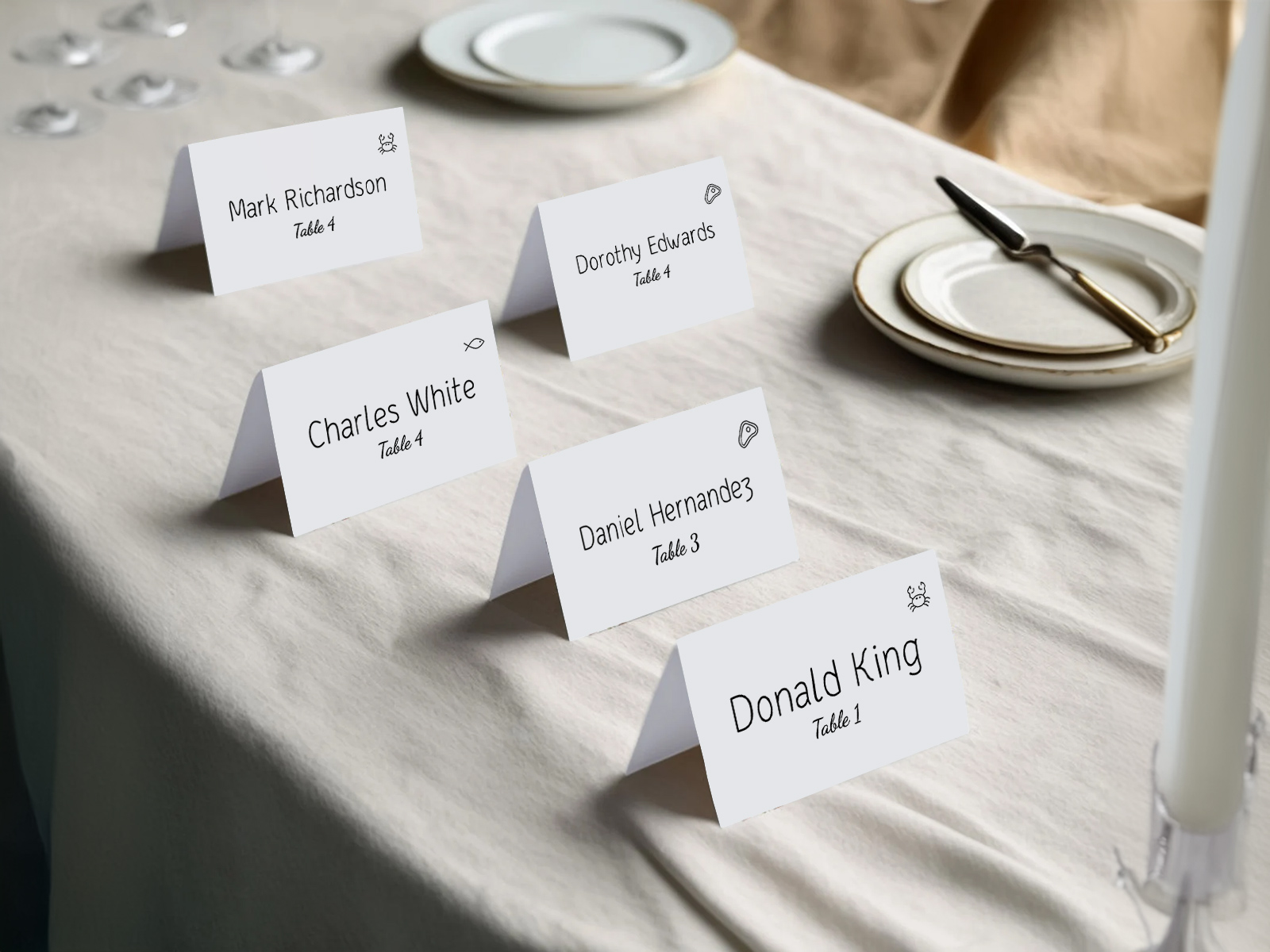
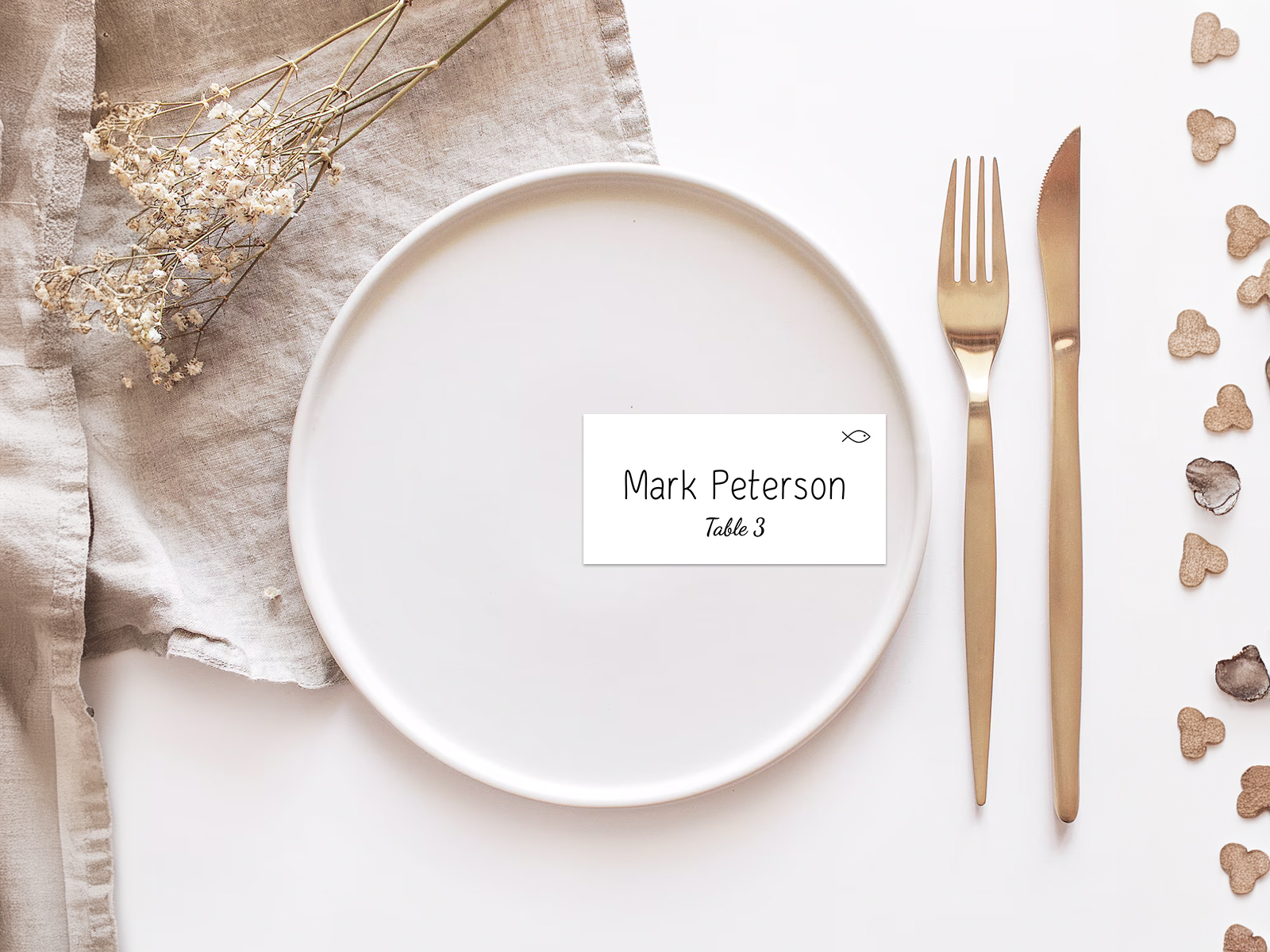
Az ételválasztásos ültetőkártyák minden vendég nevét, asztalszámát és egy kis ikont — hal, marha, vegetáriánus — jelenítenek meg, hogy a felszolgálók tudják, melyik főételt kell az adott helyre tálalni. Ez a megoldás szabványos a többféle főételt kínáló tányérszervizes vacsoráknál. Esküvőszervező asszisztensünk közvetlenül az RSVP-válaszokból generálja a kártyákat, így az egyes kártyákon látható ikon mindig pontosan azt mutatja, amit az adott vendég kiválasztott.
Ez az oldal az ételválasztás jelölésének ültetőkártyákhoz való hozzáadásáról szól. Az általános ültetőkártya-tervezésről, méretekről és az Avery sablonokkal való kompatibilitásról lásd az ültetőkártyák oldalt és az ültetőkártya sablon oldalt. Ha ugyanezt a kártyát inkább a bejáratnál használná, lásd az escort kártyák oldalt.
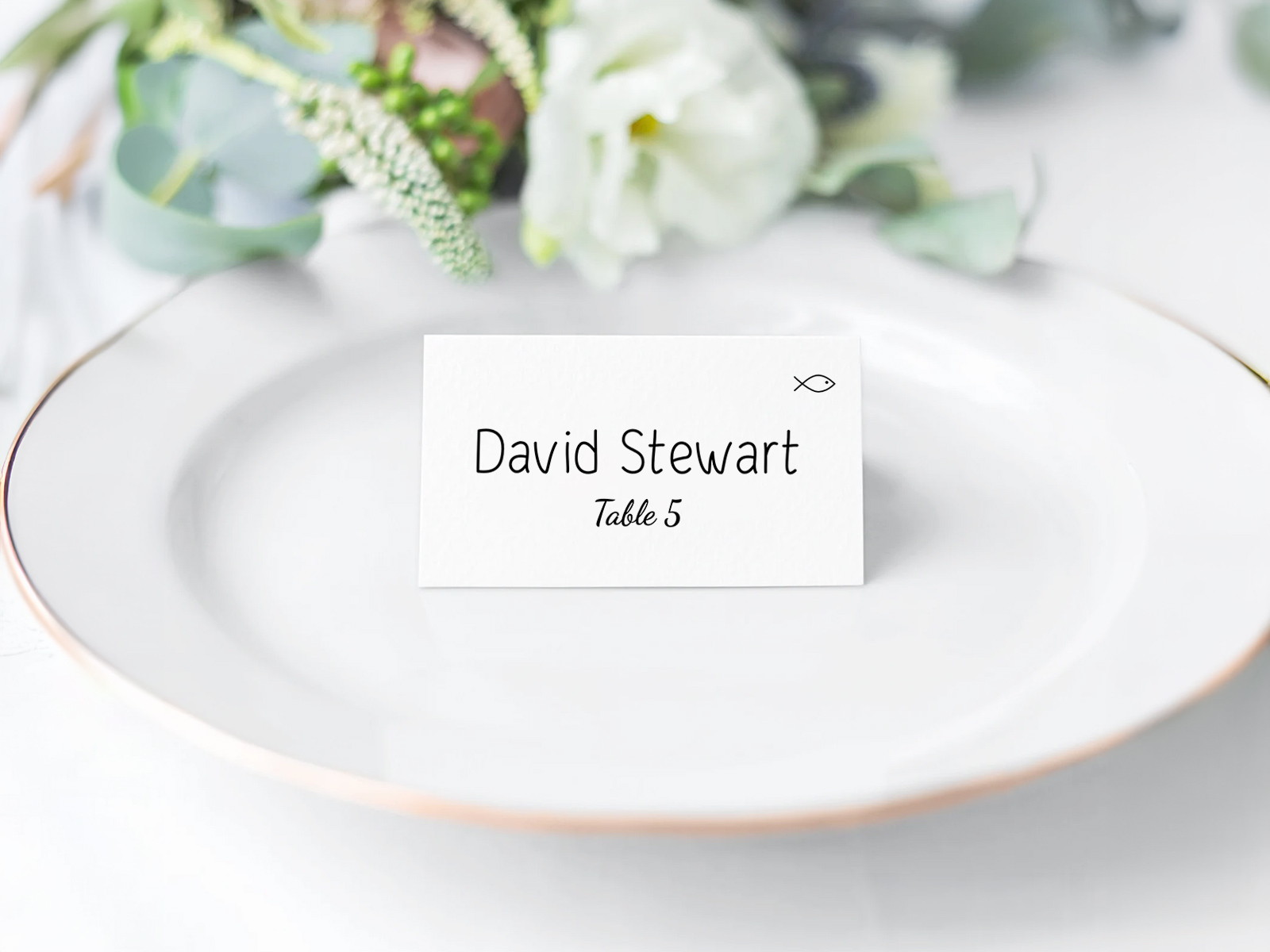
Az ételválasztásokat a beépített RSVP űrlapon gyűjtjük össze, majd mindenféle újragépelés vagy táblázatból való másolás nélkül kerülnek át az ültetőkártyára.
Az allergiák és az étkezési korlátozások az esküvői vendéglistán az ételválasztások mellett szerepelnek — a kártyán látható ikonrendszer mindkét jelzést lefedi.
Minden ültetési adat — nevek, helyek, ételválasztások — ugyanabból a ültetési terv projektből származik, így a kártyák mindig megegyeznek az aktuális alaprajzzal.
Készítsen ingyen ételválasztásos ültetőkártyákat
PLANNING . WEDDING — könnyen megjegyezhető, és még könnyebb használni.
Hogyan generálódnak automatikusan az ételválasztásos ültetőkártyák
A folyamat egyirányú és automatikus. Nem kell az ételválasztásokat az RSVP-táblázatból kézzel átmásolni a kártyákra — a kártyák már a projektben meglévő adatokból állnak össze.
- Küldje ki az RSVP-ket az ételválasztás kérdésével együtt — marha, hal, vegetáriánus, gyerekmenü.
- Minden vendég választása mentésre kerül az ültetési terv projektben lévő adatlapjára, amint beérkezik.
- Nyissa meg az ültetőkártyák nézetet, és kapcsolja be az ételválasztás-ikonokat.
- Válassza ki a jelölési rendszert — illusztrált ikonok, színes pontok, egybetűs kódok vagy viaszpecsét-színek.
- Töltse le a nyomtatásra kész PDF-et, amelyben minden kártyán már a megfelelő ikon látható az adott vendéghez.
- Ha egy vendég az utolsó héten megváltoztatja az ételválasztását, csak az érintett kártya generálódik újra — a többi változatlan marad.
Készíttess személyre szabott ültetőkártyákat az ültetési rendből
Generálja most a kártyákat az RSVP-adatokból
Miért léteznek az ételválasztásos ültetőkártyák — a felszolgáló szemszögéből
A többféle főételt kínáló tányérszervizes vacsorák olyan logisztikai problémát teremtenek, amelyet a konyha soha nem lát: melyik tányér melyik helyre kerüljön. Ha az asztalon nincs jól látható jelölés, a felszolgálók végigkérdezik a vendégeket: „a marha vagy a hal?” — ez lassítja a kiszolgálást, megtöri az étkezés lendületét, és kellemetlen helyzetbe hozza azokat a vendégeket, akik hat héttel ezelőtt az RSVP-nél már nem emlékeznek, mit választottak.
A kártya sarkában lévő kis ikon ezt másodpercek alatt megoldja. A felszolgáló odaér az asztalhoz, rápillant a kártyára, a megfelelő főételt tálalja, és már megy is tovább. A tízfős asztalokat három percen belül ki lehet szolgálni a hét helyett. A cateringesek imádják. Azok a párok, akik kihagyják, általában megbánják.
Jelölési rendszerek — ikonok, színek, betűk, viaszpecsétek
Nincs egyetlen „helyes” jelölési forma — az alábbi négy rendszert ismerik fel leginkább a felszolgálók és a cateringesek. Válassza azt, amelyik legjobban illik az esküvő stílusához.
- Illusztrált ikonok — kis vonalas rajzok halról, marháról, levélről, csirkéről. Távolról a legjobban olvashatók, és a legdekoratívabbak. Az alapértelmezett megoldás az eszközünkben. A kártya jobb felső sarkában helyezkednek el, nagyjából 24 pt méretben.
- Színes pontok — egy kis tömör kör az ételhez rendelt színben. Kék a halhoz, piros a marhához, zöld a vegetáriánushoz, sárga a gyerekmenühöz. Letisztult, minimalista vagy modern esküvőkön a legjobb; jól működik egyszínű kártyákon, ahol az illusztrációk oda nem illőnek hatnának.
- Egybetűs kódok — F / B / V / K kis méretben a sarokban nyomtatva. A legvisszafogottabb megoldás, a vendégek számára szinte láthatatlan. A legjobb nagyon formális esküvőkön, ahol nem szeretné, hogy a dekoratív ikonok megtörjék a kalligráfia hatását.
- Viaszpecsét-színek — egy kis viaszpecsét az ételhez rendelt színben. Gyönyörű, tapintható, fotogén. A négy közül a legdrágább, mert a pecséteket nyomtatás után kézzel helyezik fel.
Hogyan működik az automatikus feltöltés az RSVP-ből
A mechanika egyszerű: a projekt minden vendégadatlapján van egy ételválasztás mező. Az RSVP űrlap erre a mezőre ír, amikor a vendég válaszol. Az ültetőkártya-generátor ezt olvassa ki, amikor exportálja a PDF-et. Nincs külön táblázat, nincs másolás-beillesztés, nincs „frissítettem már a főlistát?” típusú aggodalom.
Két gyakorlati következménye van. Először is, a késői módosítások ingyenesek — ha egy vendég két nappal az esküvő előtt marháról halra vált, csak egy új kártya készül, nem az egész sorozatot kell újragyártani. Másodszor, a cateringcsapat ugyanazokat az adatokat látja, mint a kártyák — amikor exportálja a helyszínnek szánt ételszám-összesítést, a számok pontosan megegyeznek a kártyákon szereplőkkel.
Próbálja ki ingyen — regisztráció nélkül
A rendszer kommunikálása a cateringes felé
A felszolgálóknak tudniuk kell a jelölési rendszerről a kiszolgálás megkezdése előtt. Válassza ki a fenti négy formátum egyikét, majd küldjön a helyszínnek vagy a cateringesnek egy egyoldalas jelmagyarázatot, amelyen minden ikon mellett szerepel az általa jelölt főétel. Az eszközünk ezt a jelmagyarázatot az ültetőkártya PDF mellé exportálja — ugyanazokkal a betűtípusokkal, ugyanazokkal a színekkel, teljesen egyértelműen a tálalásnál.
Ha a helyszín BEO lapokat használ (banquet event order), ugyanez a jelmagyarázat csatolható a BEO-hoz is. A legtöbb cateringvezető értékelni fogja, ha az ikonkulcs ugyanabban a csomagban van, mint az ültetési terv és az ételszámok — ez megszünteti az esküvő napján fellépő zavart, amikor a felszolgáló három különböző nyomtatott anyagot próbál egyszerre értelmezni a konyhában.
Allergének és ételválasztás kezelése
Az ételválasztás és az étkezési korlátozások összefüggenek, de nem ugyanazok. A ételválasztás azt mondja meg a felszolgálónak, melyik főételt választotta a vendég az RSVP-n. Az étkezési korlátozás azt jelzi, mit kell a konyhának elkerülnie az adott vendégnél — glutén, diófélék, tejtermék, kagyló. Néha átfedés van (egy vegetáriánus vendég a húst is kerüli), de gyakrabban nincs (egy marhát választó vendégnek lehet olyan dióallergiája, amely külön kezelést igényel).
Az eszköz mindkettőt kezeli. Az ételválasztás ikonja a kártya sarkába kerül, a felszolgálók számára jól láthatóan. Az étkezési korlátozásokat külön rögzítjük a vendégadatlapban, és ezek vagy egy második kis ikonként, vagy a kártya hátoldalán egy diszkrét kódként jelennek meg, vagy — a leggyakrabban — bizalmas megjegyzésként jutnak el a cateringvezetőhöz, és teljesen kimaradnak a nyomtatott kártyáról. A párok gyakran az utóbbit részesítik előnyben, hogy a kártya vendégbarát és letisztult maradjon.
Készítsen ingyen ételválasztásos ültetőkártyákat
Miért használja az eszközünket az Etsy sablon helyett
Az Etsy sablonoknál manuálisan kell párosítani minden vendég nevét az ételválasztásával — a nevet kimásolja az RSVP-táblázatból, kimásolja az ételválasztást, mindkettőt beilleszti a sablonba, és ezt ismétli 100+ vendégnél. A késői RSVP-módosítások a sablonfájlok szerkesztését jelentik. A hibák elkerülhetetlenek, és drágák is — egy rossz ikon rossz tányért jelent a rossz helyen.
Az eszközünk ugyanabból a projektadatlapból olvassa ki a nevet és az ételválasztást, így a párosítás automatikus, és nem lehet elrontani. Ugyanez az RSVP-adat szolgálja a személyre szabott menükártyákat is, ha azokat is nyomtatja, így minden nyomtatott elem tökéletes összhangban marad. Ingyenes, együttműködésre alkalmas, és az adatok élők maradnak egészen addig, amíg rá nem kattint a letöltésre.
Nézd meg a videót: vendéglista ételválasztásokkal működés közben
Fedezze fel a helykártyák témakörének további részeit
Az alábbi aloldalak mindegyike a helykártyák készítésének egy-egy szűkebb területét mutatja be — dizájnsablonok, nyomdakész fájlok, válaszadás alapján választható étkezési ikonok és kreatív stílusok — mindezt ugyanaz a Esküvőszervezési Asszisztens ültetési rend támogatja.
Fedezd fel a nagy napra szánt esküvői papírkellékeid további darabjait
Az alábbi elemek mindegyike élőben a Esküvőszervezési Asszisztens ülésrendjéből dolgozik, így egyetlen frissítés a vendéglistában végigmegy az összes nyomtatott anyagon — nem kell neveket másolgatni egyik sablonból a másikba.