


استكشف المزيد من أفكار ونصائح الزفاف
قالب بطاقات توزيع الجلسات على الطاولات
استكشف
ساعدت خدمتنا عشرات الآلاف من الأزواج حول العالم على التخطيط لحفلات زفاف أحلامهم!
قالب بطاقات توزيع الجلسات على الطاولات — مجاني، قابل للتعديل، بطاقة واحدة لكل طاولة
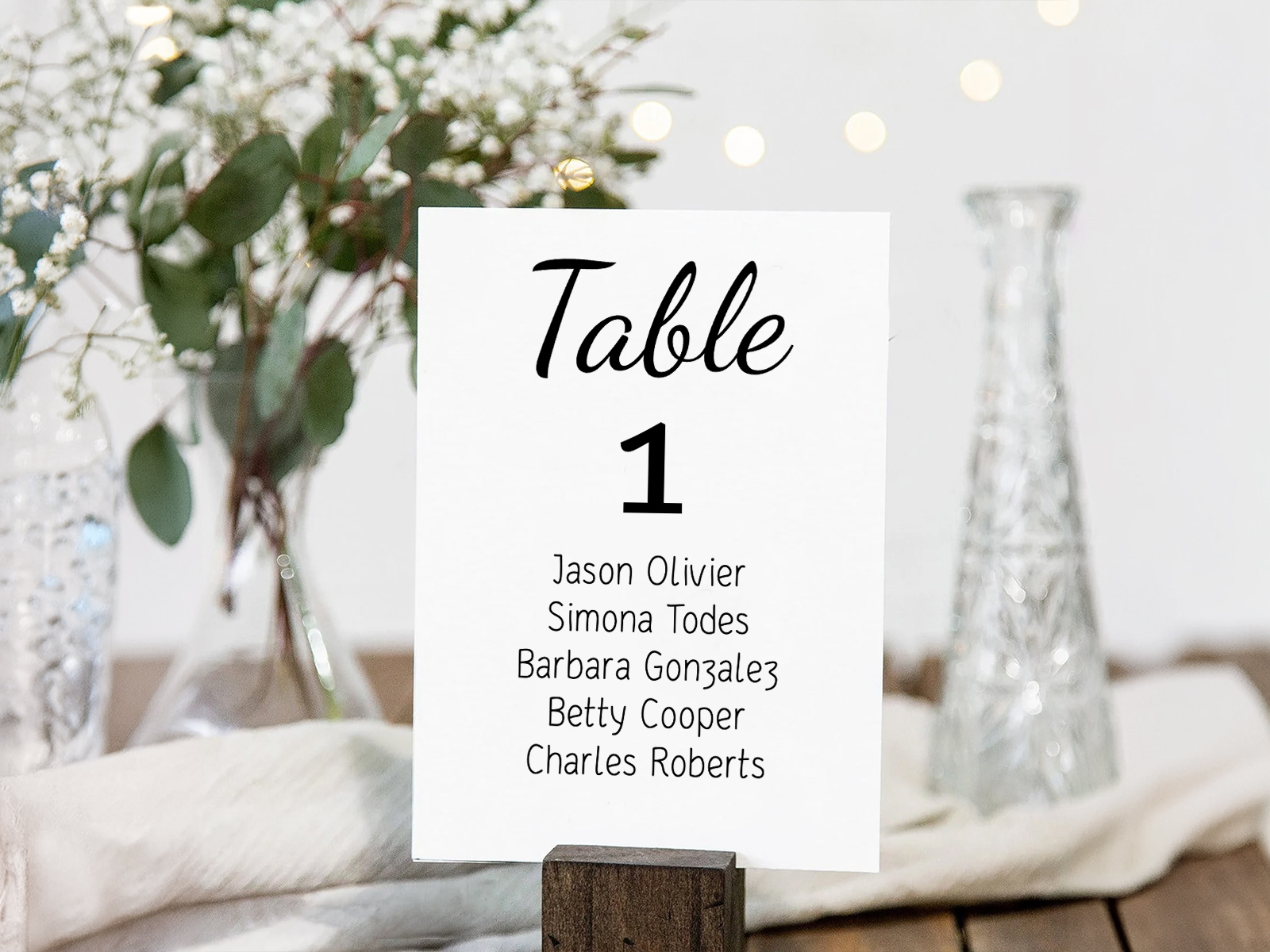
يُنشئ قالب بطاقات توزيع الجلسات على الطاولات بطاقة واحدة لكل طاولة من مشروع مخطط الجلوس الخاص بك — وتعرض كل بطاقة كل ضيف مخصص لتلك الطاولة. وتتجمع عدة بطاقات معًا لتشكّل عرضًا عند مدخل الاستقبال، أو على جدار، أو على شريط زينة، أو لوحة. يتولى القالب التنسيق والطباعة وعلامات القص؛ وأنت تنشئ مخطط الجلوس، فتخرج البطاقات متطابقة مع مخطط القاعة لديك.
مهم — هذه ليست بطاقات أرقام الطاولات. كل بطاقة توزيع جلسات على الطاولة تعرض كل ضيف على طاولة محددة واحدة. إذا كنت تبحث عن بطاقات تعرض الرقم فقط لقطعة الوسط، فراجع قالب أرقام الطاولات. ولمواصفات الطباعة ومكان الثقب، راجع بطاقات توزيع الجلسات على الطاولات القابلة للطباعة. ولأكثر من 15 فكرة عرض، راجع أفكار عرض بطاقات توزيع الجلسات على الطاولات.
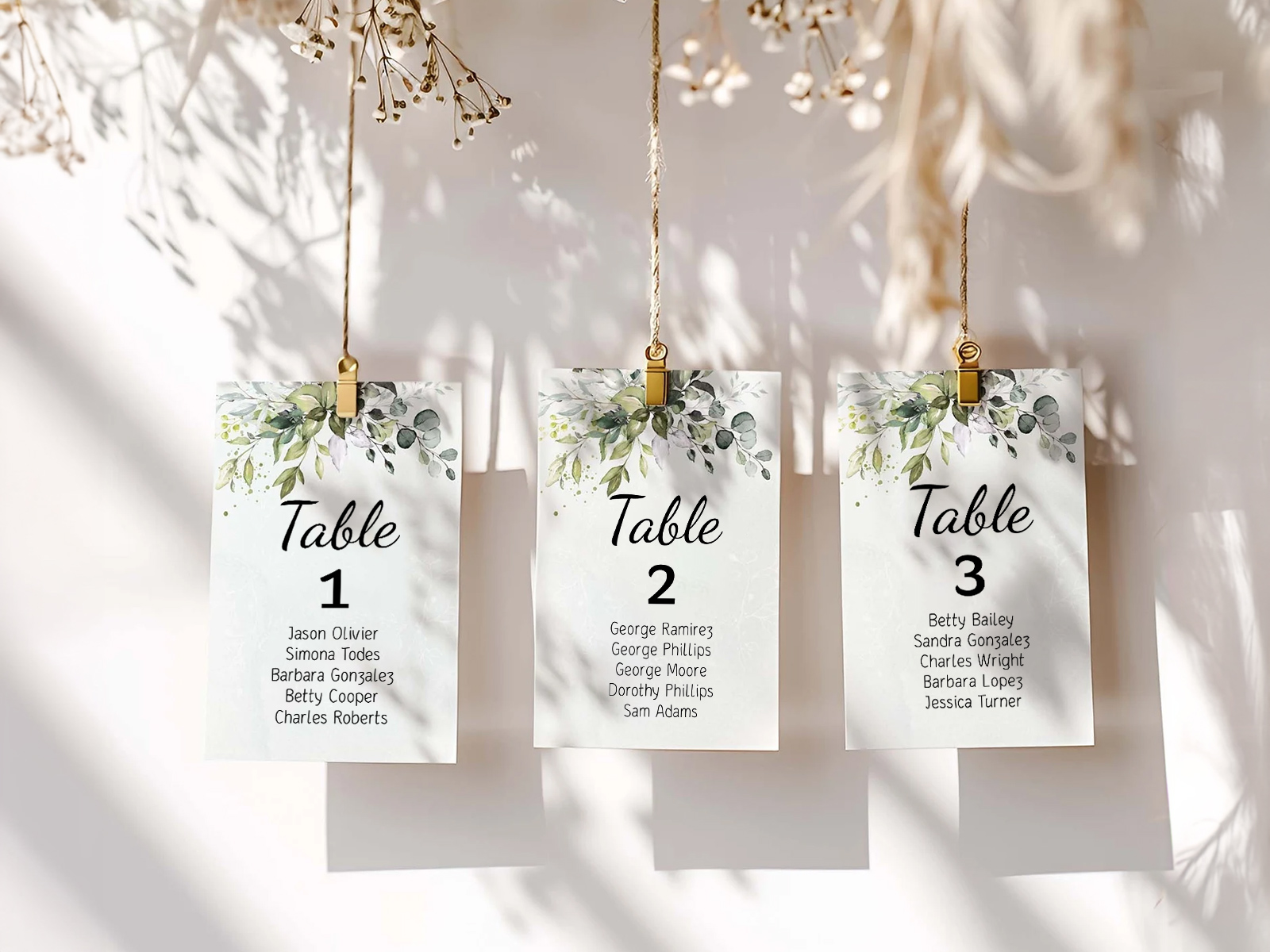
تأتي الأسماء وتوزيعات الطاولات من مشروع مخطط الجلوس الخاص بك — لا يحتاج القالب إلى قائمة أسماء منفصلة، بل يسحب البيانات من مخطط القاعة المباشر.
أكّد الحضور عبر تأكيد الدعوة أولًا — تُطبع فقط أسماء الضيوف المؤكدين، حتى تبقى كل بطاقة دقيقة.
نسّق خط القالب مع بقية مطبوعات يوم الزفاف الخاصة بك لتحصلي على مظهر متناسق في القاعة.
PLANNING . WEDDING — سهل التذكر وأسهل في الاستخدام.
كيف يعمل القالب — بطاقة واحدة لكل طاولة، يتم إنشاؤها تلقائيًا
القالب هو عرض مُنشأ لمشروعك. أنت لا تختار أي الضيوف يذهبون إلى أي بطاقة؛ بل مخطط الجلوس هو الذي يحدد ذلك. أنت تختار الصيغة والحجم والخط، ثم يتولى التصدير الباقي.
- أنشئ مخطط الجلوس باستخدام مخطط القاعة بالسحب والإفلات وعيّن كل ضيف مؤكَّد إلى طاولة.
- افتح عرض بطاقات توزيع الجلسات على الطاولات من قائمة المشروع — ستظهر كل طاولة في المخطط كبطاقة واحدة.
- اختر الحجم — 4×6 أو 5×7 أو 6×8 بوصات.
- اختر الصيغة — مسطّحة مع حامل، أو قابلة للطي على شكل خيمة، أو على هيئة بطاقة مع ثقب للتعليق.
- خصّص الخط والعناصر الزخرفية — الخط، اللون، إطار نباتي اختياري، عنوان باسم الطاولة أو رقمها.
- حمّل ملف PDF جاهزًا للطباعة مع إعدادات النزف وعلامات القص، وجاهز لأي طابعة.
عرض بطاقات توزيع مقاعد الطاولات
أنشئ بطاقاتك المحدّثة تلقائيًا
الأحجام — 4×6 مقابل 5×7 مقابل 6×8
يتغير حجم البطاقة بحسب عدد الضيوف على كل طاولة وبحسب طريقة عرضها. الأحجام الافتراضية أدناه تغطي تقريبًا كل تنسيق زفاف.
- 5×7 بوصات — المقاس الأكثر شيوعًا. مناسب لطاولات يصل عدد ضيوفها إلى 10. سهل الحمل، يناسب الإطارات القياسية، ويظهر بشكل جميل في الصور.
- 4×6 بوصات — مناسب للأعراس الصغيرة (طاولات من 6 إلى 8 ضيوف، وأقل من 10 طاولات إجمالًا). قد تصبح الأسماء مزدحمة إذا كانت الطاولة ممتلئة.
- 6×8 بوصات (أو A5) — المقاس المناسب للطاولات الأكبر (طاولات دائرية لـ12 شخصًا، أو جلسات الولائم الطويلة) عندما تحتاجين إلى مساحة رأسية إضافية لقائمة الضيوف.
الصيغة — معلّقة، مسطّحة، مؤطرة
الصيغة هي القرار الثاني. اختاري الصيغة التي تناسب إعداد العرض الذي تخططين له عند المدخل.
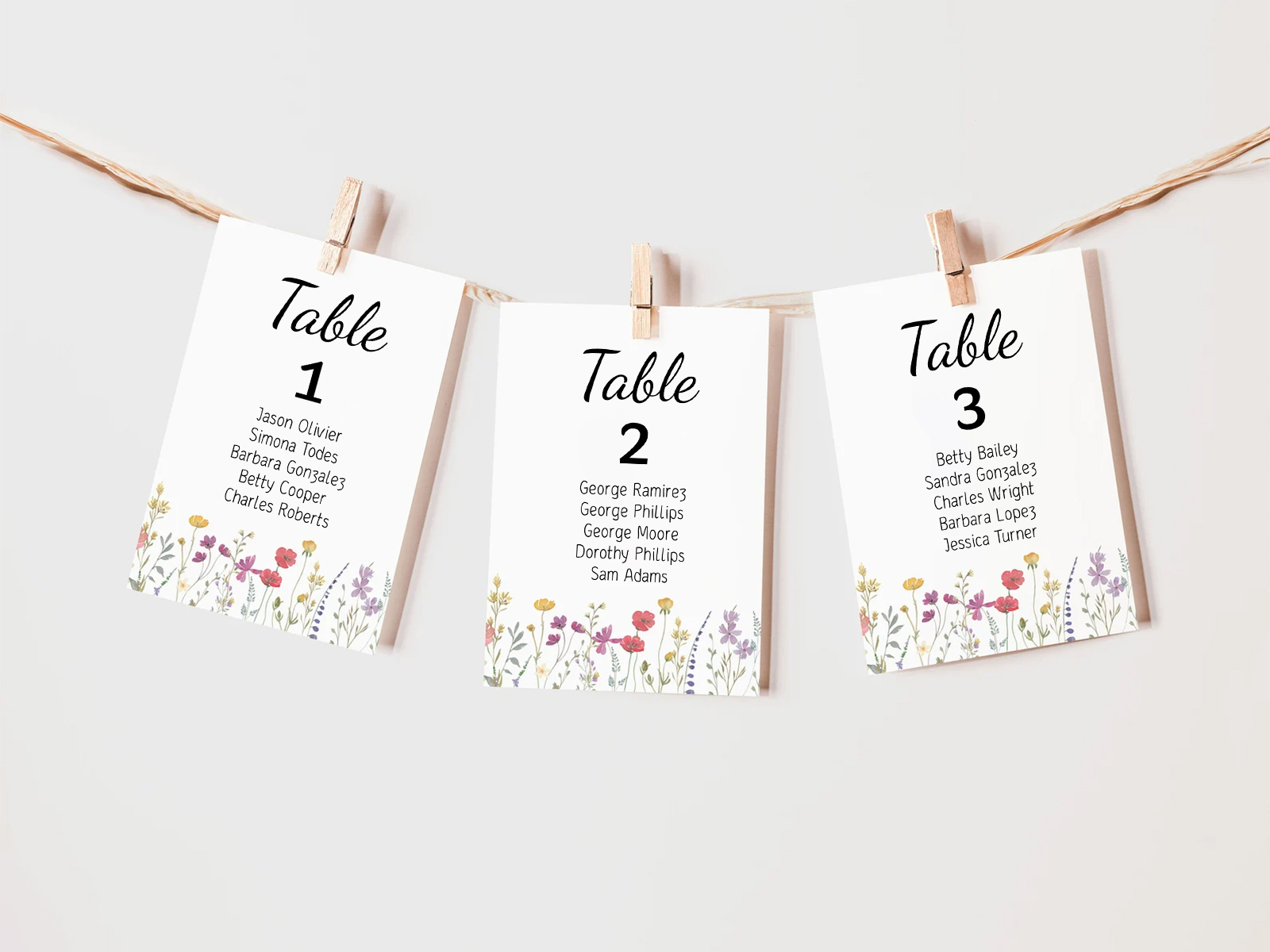
- بطاقة معلّقة مع ثقب — الصيغة الأكثر شيوعًا. تأتي البطاقات بثقب في الأعلى لاستخدام مشابك الغسيل أو شرائط الربط أو الخطافات الصغيرة. مناسبة للأشرطة الخيطية المعلّقة، وعروض السلالم، ولوحات التثبيت.
- مسطّحة مع حامل — بطاقة مسطّحة توضع في حامل صغير من الأكريليك أو الخشب أو السلك. مناسبة لطاولات المدخل، والرفوف متعددة المستويات، وعربات المشروبات.
- مؤطرة — بطاقة مسطّحة داخل إطار صور صغير. مناسبة لتنسيق على شكل جدار معرض، أو على حوامل عرض فردية، أو على مصراع خشبي بطابع كلاسيكي.
بطاقات تتحدث تلقائيًا عند نقل الضيوف بين الطاولات
الميزة الأبرز: عندما ينتقل ضيف من طاولة إلى أخرى في مشروع مخطط الجلوس، تُعاد توليد البطاقتين المتأثرتين تلقائيًا. بطاقة الطاولة القديمة تحذف الضيف؛ وبطاقة الطاولة الجديدة تضيفه. وتبقى بقية البطاقات دون تغيير.
والنتيجة العملية — تغييرات تأكيد الدعوة المتأخرة مجانية. الضيف الذي يغيّر طاولته قبل الزفاف بيومين يفعّل عمليتي إعادة طباعة فقط (الطاولة القديمة والجديدة)، وليس إعادة إعداد جميع البطاقات الـ12. وتبقى كل بطاقة دقيقة وفق مخطط القاعة المباشر حتى لحظة النقر على التنزيل.
التخصيص — الخطوط، العناصر الزخرفية، العناوين
يمكن تعديل كل عنصر. عائلة الخط لعنوان البطاقة (رقم الطاولة أو اسمها) وللنص الداخلي (قائمة الضيوف). لون الحبر، لون الورق، ونمط زخرفي اختياري (إطار نباتي، تموج مائي، مونوجرام).
يمكن أن يكون العنوان رقم الطاولة فقط، أو اسم الطاولة فقط، أو كلاهما معًا بشكل متراص. نسّقي الخط مع بقية مجموعة المطبوعات الخاصة بك — اختاريه مرة واحدة على مستوى المشروع، وتتوارثه البطاقات تلقائيًا.
لماذا تتفوق القوالب المبنية على البيانات المباشرة على القوالب الثابتة
معظم قوالب بطاقات توزيع الجلسات على الطاولات في Etsy أو Pinterest مصممة لبطاقة واحدة. ولإنتاج 12 بطاقة لـ12 طاولة، عليك نسخ الملف 12 مرة وملء كل واحدة يدويًا بالأسماء من مخطط الجلوس. ويبدأ اختلاف الإصدارات فورًا — ينتقل ضيف إلى طاولة أخرى فتجدين نفسك تعدلين ملفين. ويحدث تأكيد دعوة متأخر فتعدلين ثلاثة.
يتعامل قالبنا مع المجموعة الكاملة من البطاقات على أنها مخرجات. تُبنى كل بطاقة من التوزيعات التي أنشأتها بالفعل على مخطط القاعة. انقلي ضيفًا، فتُعاد توليد البطاقتين المتأثرتين. أضيفي طاولة جديدة، فتظهر بطاقة جديدة في التصدير. لا ملفات قوالب للتعديل، ولا اختلاف في الإصدارات. مجاني، تعاوني، ومتزامن مع بقية مطبوعاتك.
استكشف بقية مجموعة بطاقات الجلوس على الطاولات
تغطي كل صفحة فرعية أدناه جانبًا محددًا من بطاقات الجلوس على الطاولات — بطاقة واحدة لكل طاولة تُدرج كل ضيف — عبر تصميم القالب، وإنتاج الطباعة، وأكثر من 16 فكرة عرض. وكل ذلك مدعوم بمشروع مخطط الجلوس الخاص بـ مساعد تخطيط الزفاف نفسه.
استكشف بقية مجموعة قرطاسية يوم الزفاف
كل عنصر أدناه يستمد البيانات مباشرة من مخطط الجلوس لديك على مساعد تخطيط الزفاف، لذا فإن أي تحديث واحد لقائمة الضيوف ينعكس على كل قطعة مطبوعة — من دون نسخ الأسماء من قالب إلى آخر.