


Jelajahi lebih banyak ide & saran pernikahan
Papan Denah Tempat Duduk Pernikahan Berdasarkan Meja
Jelajahi
Layanan kami telah membantu puluhan ribu pasangan di seluruh dunia merencanakan pernikahan impian mereka!
Papan Denah Tempat Duduk Pernikahan Berdasarkan Meja — Template Tata Letak Terkelompok
Sebuah papan denah tempat duduk berdasarkan meja mengelompokkan nama-nama di bawah setiap nomor meja, sehingga tamu melihat siapa saja yang satu meja dengan mereka sebelum melihat nomor mejanya. Ini format yang cocok untuk pernikahan kecil — rapi, dekoratif, dan sedikit lebih lambat dibaca tamu dibandingkan alternatif alfabetis.
Halaman ini membahas poster fisik di atas easel di pintu masuk, BUKAN alat denah lantai drag-and-drop. Jika Anda mencari editor denah lantai yang dibuat saat perencanaan, lihat denah tempat duduk. Untuk nama yang diurutkan A–Z, lihat papan denah tempat duduk alfabetis.
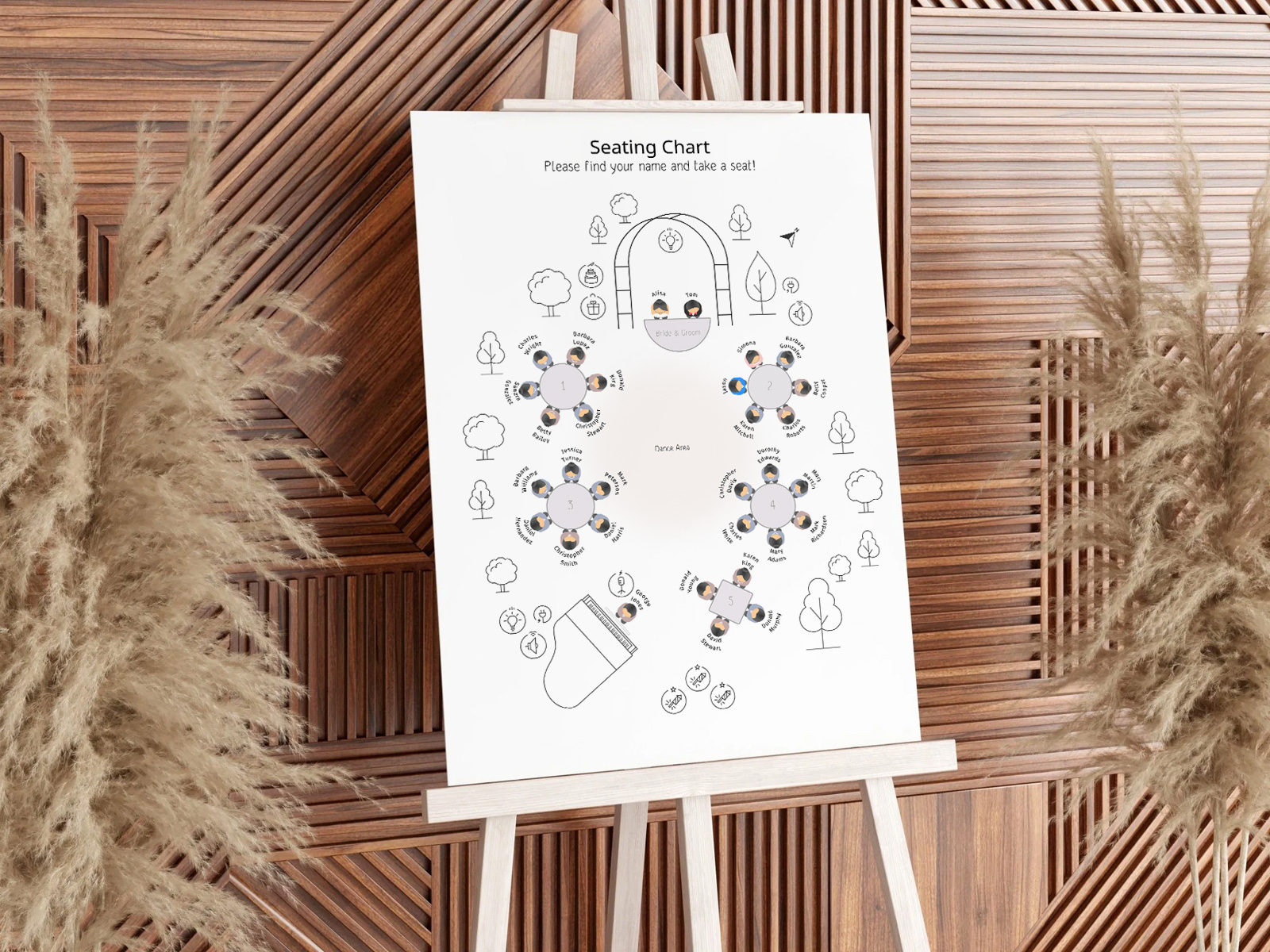
Pengelompokan ini mengikuti penugasan meja di denah tempat duduk Anda — setiap tamu di meja 1 tercantum di bawah meja 1, dan seterusnya.
Konfirmasi kehadiran melalui konfirmasi undangan terlebih dahulu — hanya tamu yang sudah terkonfirmasi yang dicetak, sehingga bagian per meja tetap akurat.
Jika resepsi Anda menggunakan kartu tempat duduk meja (satu kartu per meja ditampilkan sebagai grid), konsep papan berdasarkan meja sangat terkait — datanya sama, format tampilannya berbeda.
Buat papan berdasarkan meja Anda
PLANNING . WEDDING — mudah diingat dan bahkan lebih mudah digunakan.
Cara Kerja Pengelompokan Berdasarkan Meja
Pengelompokan dilakukan otomatis. Proyek denah tempat duduk menyimpan kolom penugasan meja untuk setiap tamu. Ekspor papan membaca kolom tersebut, mengelompokkan nama berdasarkan meja, lalu menampilkan setiap meja sebagai bagian tersendiri di poster.
- Buat denah tempat duduk Anda dengan denah lantai drag-and-drop dan tempatkan setiap tamu yang sudah terkonfirmasi ke meja.
- Buka tampilan papan denah tempat duduk di menu proyek.
- Ubah pengurutan menjadi “Berdasarkan Meja” di pengaturan proyek.
- Pilih urutan meja — numerik (1, 2, 3…) atau alur venue (urutan yang akan dilewati tamu saat masuk melewati meja-meja).
- Unduh PDF siap cetak dengan bleed dan tanda potong yang sudah disetel, siap untuk printer mana pun.
Bagan tempat duduk pernikahan yang elegan
Hasilkan papan terkelompok sekarang
Kapan Menggunakan Format Berdasarkan Meja
Format berdasarkan meja cocok untuk pernikahan kecil. Paling efektif untuk pernikahan dengan sekitar 75 tamu atau kurang, saat penurunan kecepatan baca masih minimal dan konteks pengelompokan sosial menjadi bagian dari cerita acara.
Tiga situasi spesifik di mana format berdasarkan meja lebih unggul daripada alfabetis: (1) ketika tamu perlu langsung melihat dengan siapa mereka duduk — pernikahan bertema, pernikahan dengan banyak keluarga, pernikahan yang mengutamakan kecocokan kelompok; (2) ketika pintu masuk venue cukup sempit sehingga papan terkelompok lebih mudah dibaca di ruang yang tersedia; (3) ketika meja bernama (berdasarkan tempat, lagu, tanggal) sekaligus menjadi narasi kecil yang ingin dibaca tamu dari pasangan pengantin.
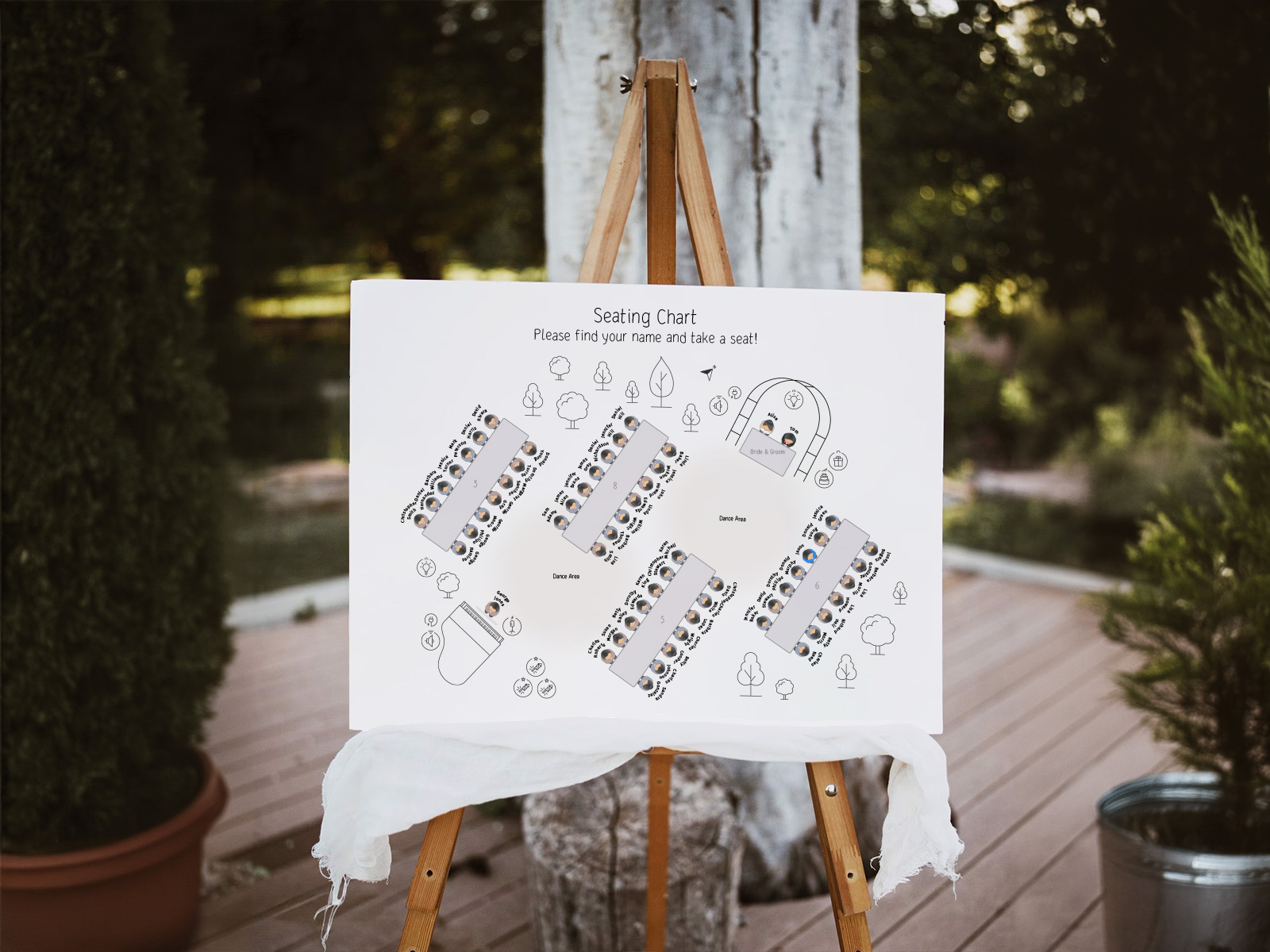
Berdasarkan Meja vs Alfabetis — Panduan Keputusan
Setiap format punya kecocokan terbaiknya. Pilih berdasarkan jumlah tamu, venue, dan apa yang ingin tamu lihat terlebih dahulu.
Berdasarkan meja unggul pada pernikahan kecil (di bawah 75 tamu), pada pernikahan dekoratif atau bertema, saat konteks sosial saat tiba adalah bagian dari desain, dan ketika pintu masuk sempit.
Alfabetis unggul pada pernikahan besar (80+), pada venue dengan pintu masuk lebar, pada pernikahan apa pun di mana kecepatan pencarian nama tamu adalah prioritas, dan ketika tujuannya adalah masuk ke sesi koktail dengan cepat.
Variasi Visual: Meja Bernomor, Bernama, Bertema
Tiga sub-format di dalam tata letak berdasarkan meja. Masing-masing mengubah cara papan dibaca dan seberapa banyak unsur cerita yang hadir di judul meja.
- Meja bernomor — paling bersih dan paling mudah dibaca. Setiap judul bagian hanya berupa nomor ("Table 1", "Table 2"). Nama-nama di bawahnya yang bekerja.
- Meja bernama — judul bagian berupa nama, bukan nomor (tempat, lagu, buku, tanggal). Dekoratif; padukan dengan subskrip angka kecil agar tamu dengan keterbatasan penglihatan atau pendengaran di pintu masuk tetap bisa menavigasi.
- Bagian bertema — judul bagian membawa motif kecil yang terkait dengan tema pernikahan (ikon ilustratif, hiasan watercolor, monogram). Tema diulang di setiap bagian dengan gaya yang serasi.
Coba gratis — tanpa perlu daftar akun
Pengelompokan Otomatis dan RSVP Terlambat
RSVP terlambat pada papan berdasarkan meja lebih mudah ditangani daripada pada papan alfabetis — nama baru cukup masuk ke bagian meja yang ditetapkan tanpa mengganggu bagian lainnya. Ekspor ulang PDF dan cetak ulang papan sekali saja.
Jika Anda menata ulang denah lantai di minggu terakhir (seorang tamu pindah dari meja 6 ke meja 8), hanya dua bagian itu yang diperbarui. Pengelompokan otomatis selalu mencerminkan kondisi denah lantai saat ini.
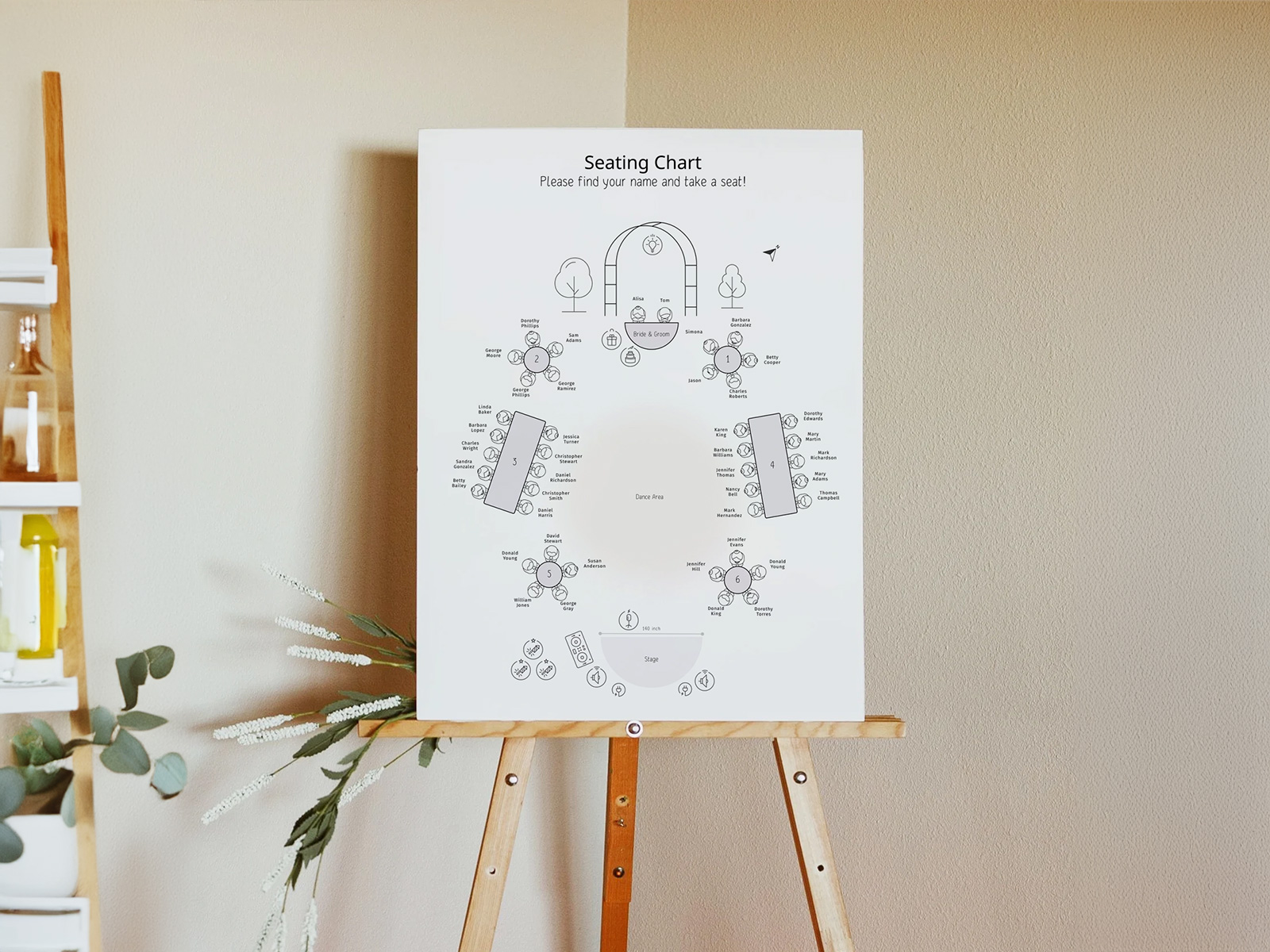
Pendapat Jujur — Alfabetis Lebih Unggul dalam Skala Besar
Format berdasarkan meja terlihat indah dalam foto dan terasa dekoratif. Namun dalam skala besar, format ini memperlambat semua orang — tamu di belakang antrean mulai memindai bagian-bagian acak sebelum menemukan meja mereka sendiri, antrean menjadi panjang, dan sesi koktail Anda mulai terlambat.
Jika pernikahan Anda lebih dari 100 tamu, gunakan default alfabetis. Pilih berdasarkan meja hanya ketika konteks pernikahan kecil, tata letak venue, atau kebutuhan bercerita memang membenarkan pemindaian yang lebih lambat.
Mengapa Menggunakan Alat Kami daripada Template Etsy
Template Etsy mengunci Anda pada satu urutan pengurutan — beralih antara berdasarkan meja dan alfabetis berarti harus membeli template kedua. Alat kami dapat mengganti format hanya dengan satu pengaturan proyek dan mengekspor ulang kedua PDF dari data yang sama. Gratis, kolaboratif, dan pengelompokan akan diperbarui lagi saat RSVP atau penugasan meja berubah.
Jelajahi sisa klaster papan denah tempat duduk pernikahan
Setiap sub-halaman di bawah ini membahas bagian kecil dari poster masuk alfabet — variasi urutan, template desain, dan 15+ ide kreatif — semuanya didukung oleh proyek denah tempat duduk Asisten Perencanaan Pernikahan yang sama.
Jelajahi sisa rangkaian perlengkapan hari pernikahan Anda
Setiap item di bawah ini diambil langsung dari bagan tempat duduk Anda di Asisten Perencanaan Pernikahan, jadi satu pembaruan pada daftar tamu akan otomatis diterapkan ke setiap cetakan — tanpa perlu menyalin nama dari satu шаблон ke шаблон berikutnya.