Explore more wedding ideas & advice
AI Agent for Wedding Planning
Explore
Our service has assisted tens of thousands of couples worldwide in planning their dream weddings!
AI Agent for Wedding Planning
At Planning.Wedding, AI is not a chat window on the side. It sits inside the tools you already use for your wedding — the seating chart, the guest list and the wedding website — and takes over the jobs that used to eat whole evenings.
Each AI feature does one clear job and hands the result back to you. You see what it did, you can change it, and nothing is added to your project until you agree.
Here is what works today: the final render of your seating chart, smart guest list import and automatic translation of your wedding website — plus automatic seating, which fills the chart in one click. Below you’ll find how each one works, what it costs and what it does not do.
You stay in charge of every decision. The AI does the typing, the sorting and the drawing.
All of it works inside one wedding project, next to your guest list, seating chart, budget, checklist and wedding website. What the AI prepares lands right where you need it, with no copying between apps.
Final render: your seating chart as an illustrated poster
When your seating chart is finished, the final render redraws it as an illustration. The AI is told to keep every table, seat and guest name where you put them and to change only the drawing style. You get a large, high-resolution PNG made for printing at A1 poster size, and you can download it as a PDF too.
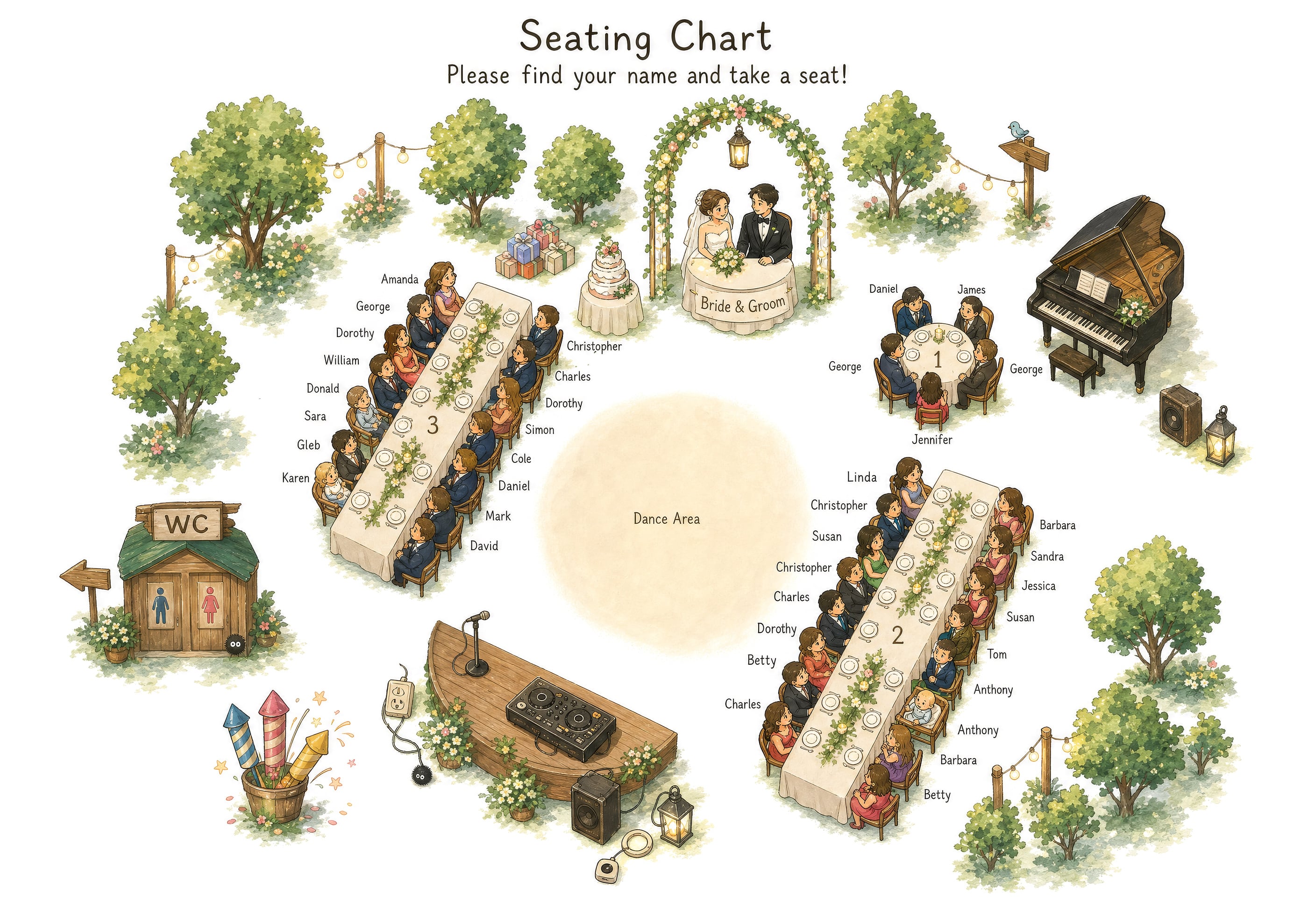
How the final render works
Open the export of your seating chart, choose Final render and make three choices:
- The character style: people, animals, flowers, forest or winter spirits, 1920s Gatsby, sea creatures and more.
- The look: a beautiful painted scene or an accurate map of the room.
- The AI model: OpenAI’s GPT Image or Grok by xAI.
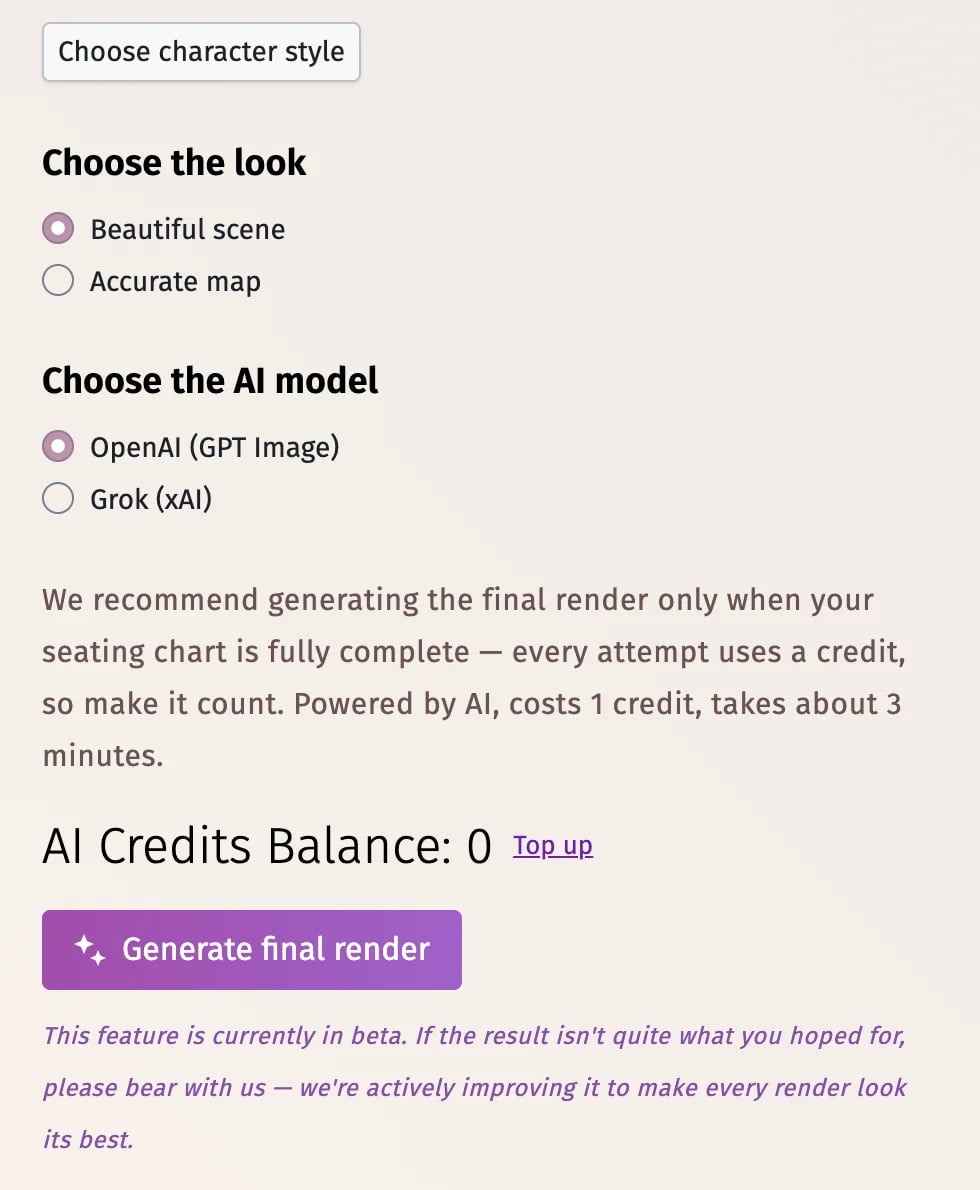
A render takes about 3 minutes and uses 1 AI credit; if it fails, the credit comes back automatically. The feature is in beta, so look the poster over before you send it to print. It works on the web, iPhone, iPad and Android.
PLANNING . WEDDING — is easy to remember and even easier to use.
- AI Agent for Wedding Planning
- Final render: your seating chart as an illustrated poster
- How the final render works
- Smart guest list import
- What smart import understands
- Automatic seating in one click
- Your wedding website in another language
- AI credits, Premium and what is free
- What our AI does not do
- Privacy: what the AI sees
- Summary
Smart guest list import
Most couples already have a guest list somewhere: a spreadsheet, a file from a relative, a text file or a handwritten page. Smart import turns any of them into your guest list — drop an Excel, CSV or text file, paste the names, or upload a photo or screenshot of the list.
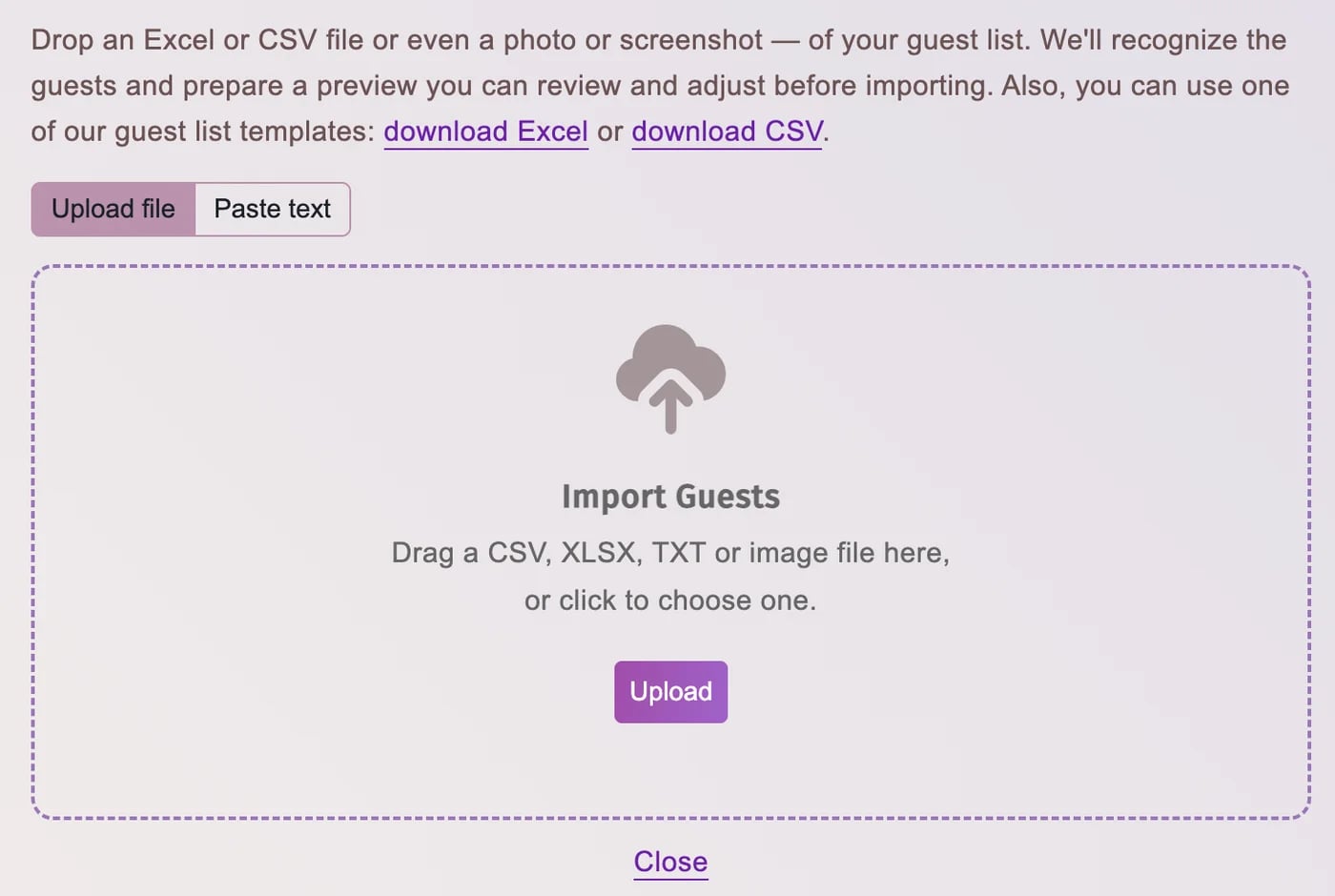
What smart import understands
The AI works out which sheet of a multi-tab file holds the guests and which columns hold names, sides, RSVPs, meals and notes, whatever the headers are called and whatever language they are in. From a photo or a screenshot it reads the names and splits couples and families into separate guests. Before anything is saved, you see every guest in a preview, with possible duplicates of guests you already have flagged, and you decide what to merge, skip or add. Smart import is free and uses no AI credits.
Automatic seating in one click
Automatic seating fills your seating chart from your guest list. It isn’t a language model but a set of rules that knows how weddings are seated: the couple at the head table, the maid of honor, the best man and the wedding party beside them, families in neighboring seats, and closer family and friends nearer the couple.
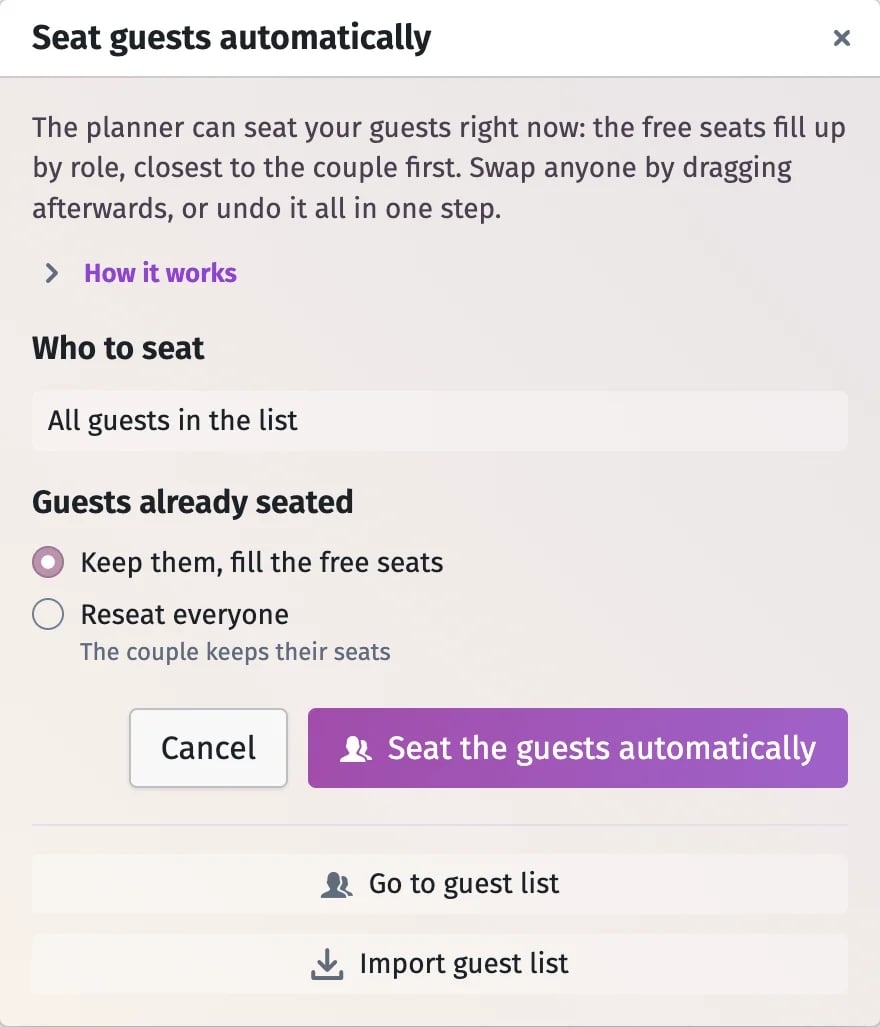
It respects every table’s capacity, can seat only confirmed guests, fills the free seats around your own choices or reseats everyone, and the whole run can be undone in one step. On a ceremony chart the bride’s side sits to the left of the aisle and the groom’s to the right. It costs no AI credits and works on the web, iPhone and Android.
Seat your guests automatically
Your wedding website in another language
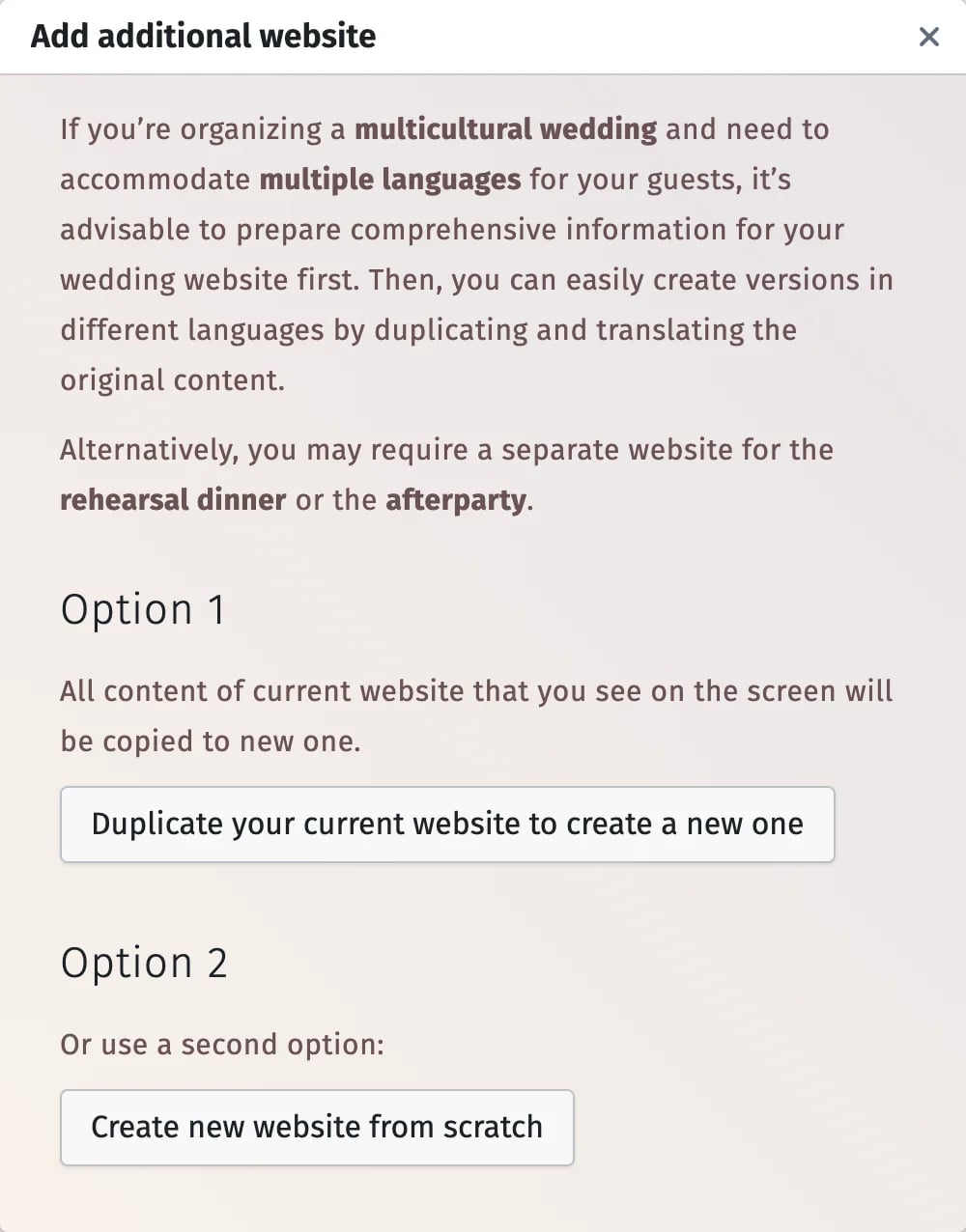
If some of your guests speak another language, duplicate your wedding website into one of more than 140 languages, and AI translates the copy in a minute or two: headings, texts, buttons, the invitation, RSVP questions and answers, and the page title. Your design, photos and layout stay as they are, a language switcher in the header lets guests move between the versions, and the copy stays fully editable. A second website is part of Premium and is made on the web.
AI credits, Premium and what is free
Smart guest import and automatic seating are free and use no AI credits. The final render runs on AI credits, and they come with Premium.
Premium is a one-time payment per project, not a subscription. It includes 5 AI credits for the final render, and you can top up whenever you need more.
- 1 final render = 1 AI credit; a failed render gives the credit back.
- Top up from 10 to 50 credits at a time on the web, or buy a credit pack in the iPhone or Android app.
- Credits belong to your wedding project and never expire.
The rest of the planning is free beside them: the budget, the checklist and the timeline, with their PDF and Excel exports.
What our AI does not do
We would rather say it plainly. There is no chat assistant that plans the wedding for you, and no AI that picks your vendors, writes your budget or rebuilds your timeline.
Automatic seating doesn’t know who gets along: it seats by role, side, family and RSVP status, so swap anyone by dragging afterwards. And a few more things worth knowing:
- The final render keeps your layout and names by instruction, not by guarantee — check the poster before printing.
- Smart import always shows a preview; it never adds guests without your confirmation.
- A translated website is a copy made once; later edits to the original are not translated again.
- Website translation is machine translation, so read it through before you share the link.
As we add new AI features, they will appear on this page — always as tools inside your wedding project, with you making the final call.
Privacy: what the AI sees
To do its job, the AI has to see part of your data, and only for the task you start. For the final render it receives the image of your seating chart, guest names included, and the finished picture is enlarged by an image upscaling service. For smart import it receives the column headers with a sample of rows, or the photo of your list, and the names whose sex it needs to guess. For website translation it receives the texts of the copied site. Your guest list is not sent when you translate a website, and the AI never changes your project on its own.
Summary
Planning.Wedding uses AI where it does real work: an illustrated seating chart poster, a guest list read from any file or photo, and your wedding website in another language — plus automatic seating that fills the chart in one click. Start a project and try them on your own wedding.
Wedding Planning Tools
Planning.Wedding keeps the whole wedding in one project: the guest list and RSVPs, seating chart, wedding website, budget, checklist, timeline and stationery — whether you’re organizing everything yourself or working hand-in-hand with a wedding planner or coordinator.