Explore more wedding ideas & advice
The Wedding Planner App for Android

Explore
Our service has assisted tens of thousands of couples worldwide in planning their dream weddings!
A wedding planner app that starts with the seating chart
Wedding Planner AI Assistant is the wedding seating chart maker that grew into an all-in-one wedding planning app for Android phones and tablets. Draw the reception floor plan, seat every guest by drag & drop or in one tap, print the table plan for the venue — then keep the guest list and RSVPs, checklist, budget and timeline in the same project.
It is the same Planning.Wedding you may know from the web: one project, synced in real time between your phone, your tablet and the free web app at planning.wedding. Plan it with your partner, your family or a professional wedding planner — wherever you are.
Free to start, no sign-up required: install the app, create a project and begin with the part that worries you most.
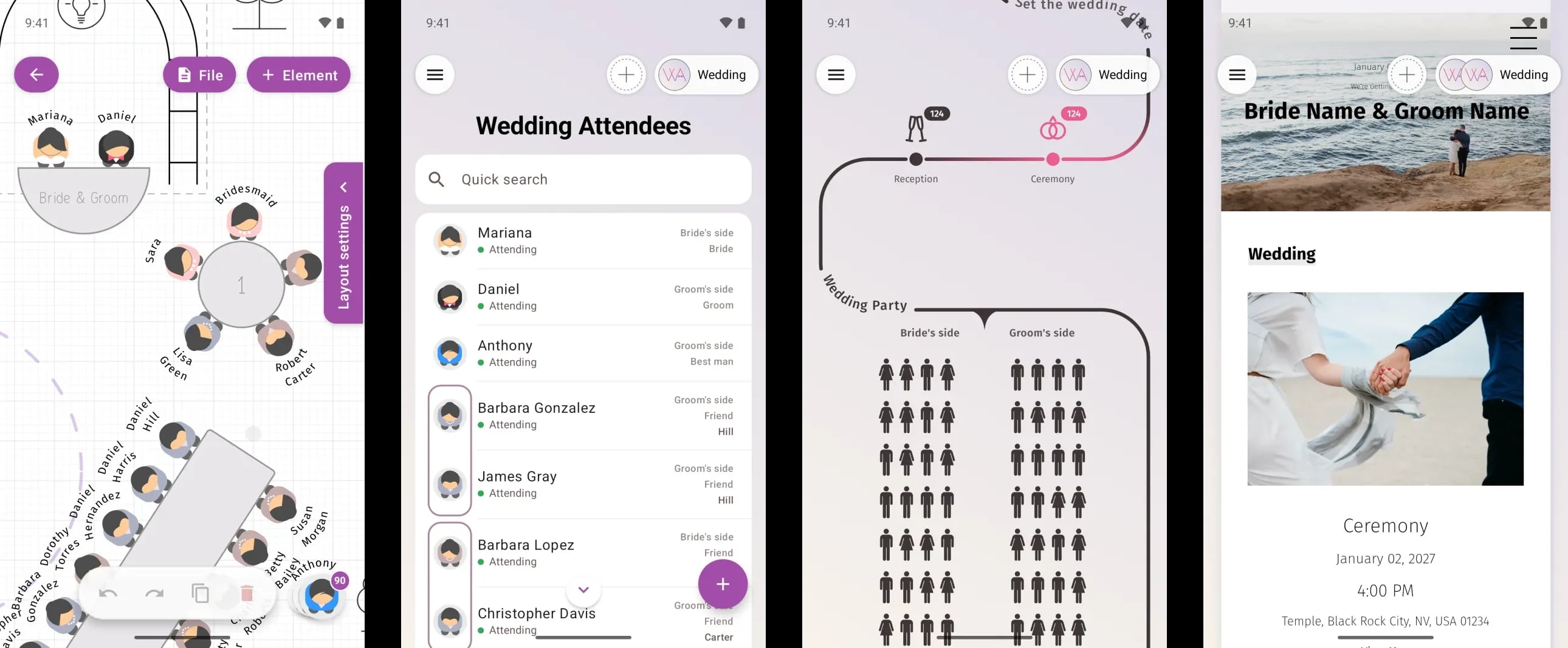
Automatic seating in one tap
Seating everyone is the hardest puzzle of the whole wedding. In the app one button seats your entire guest list in a second:
- By role, closest to the couple first — the maid of honor and the best man take the couple's sides, then the wedding party, parents, relatives and friends
- Families together — a family always sits at one table
- Fill the free seats or reseat everyone — keep the places you have already chosen, or start over
- One Undo away — the whole seating plan comes back as it was with one tap
Then add the final polish with your finger: drag a guest onto another guest to swap them, or onto a free seat to move them.
The seating chart editor on your Android phone and tablet
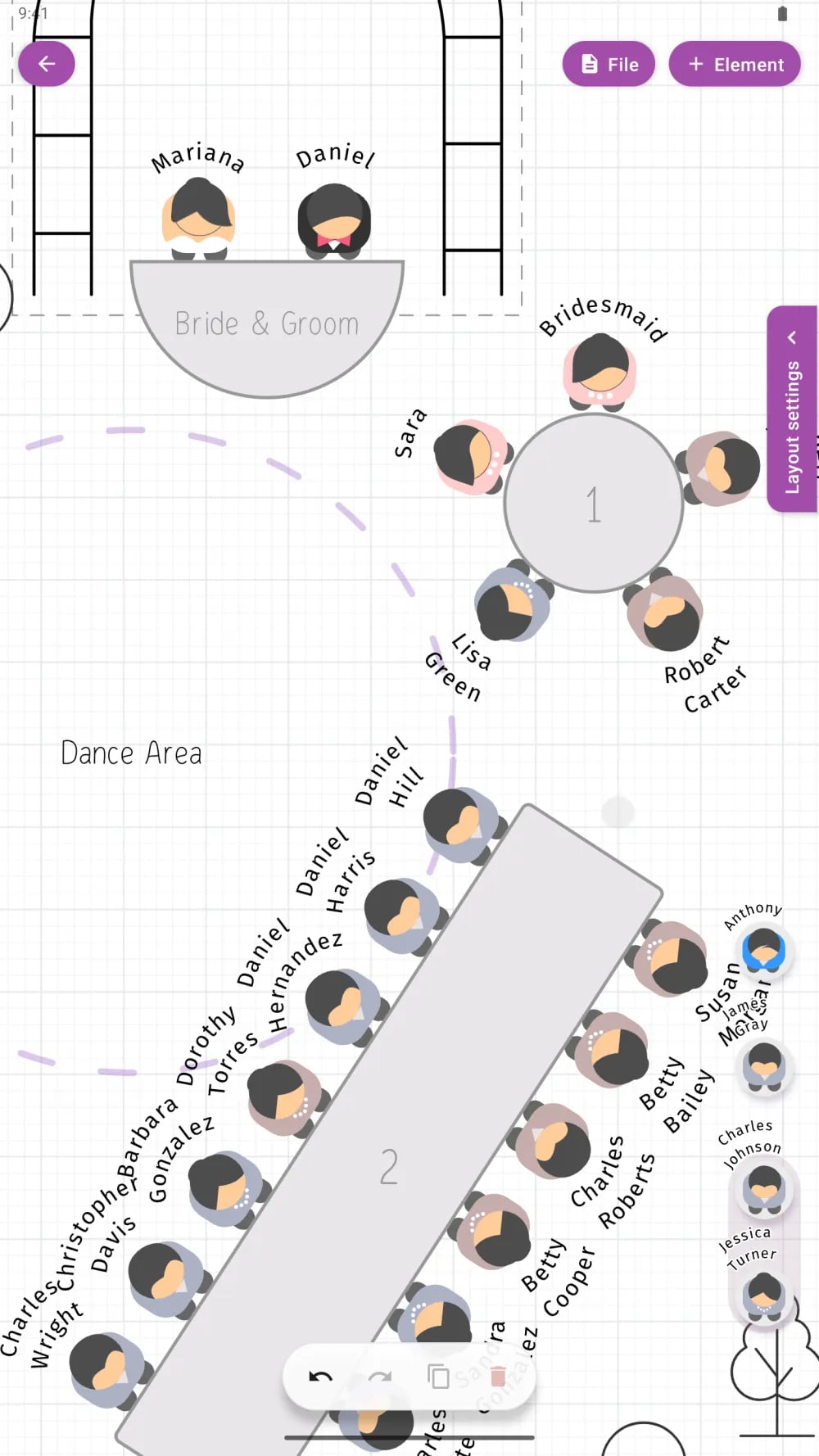
Draw the reception the way the venue really looks:
- Tables of any shape — round, banquet, long rectangular, square, curved and custom — with the seats you need
- A head table or sweetheart table, a dance floor, stage, bar, buffet, trees and décor
- Drag & drop guests onto seats; rotate and resize tables with two fingers
- Seats and tables numbered automatically
- Swap seated guests with one drag; undo and redo every step
- Meal choices and dietary needs shown on the plan for the caterer
The ceremony gets its own layout next to the reception: rows of chairs with an aisle and the wedding arch — the same guests, the same drag & drop. On a computer the same chart opens in our online seating chart maker.
A table plan ready to print
When the plan is ready, export it as a print-ready PDF in poster sizes:
- The seated table plan
- An empty floor plan for the venue
- A catering plan with every meal
- Per-table details
- The guest list by table
Share it with the venue, the caterer and your wedding planner straight from your phone. The planning tools are free; print-ready exports are part of Premium.
PLANNING . WEDDING — is easy to remember and even easier to use.
- A wedding planner app that starts with the seating chart
- Automatic seating in one tap
- The seating chart editor on your Android phone and tablet
- A table plan ready to print
- Guest list and RSVP
- Checklist, budget and timeline
- Plan together
- Phone, tablet and computer — one project
- Is the wedding planner app free?
- Do I need an account?
- Does the app sync with my computer?
- Can my partner, family or planner plan with me?
- Can I print the seating chart?
- Which Android devices are supported?
- Is there an iPhone version?
Guest list and RSVP
Keep every guest in one list — invitations, RSVPs, meals and dietary needs — grouped by family, side and role: bride, groom, parents, bridesmaids, groomsmen, friends.
- Collect responses online through your wedding website and see them on your phone instantly
- Import guests from a spreadsheet with AI assistance — names, families and roles are recognized for you
- Export the guest list as PDF or XLS
More about it in our guides to the wedding guest list and wedding RSVPs.
Checklist, budget and timeline
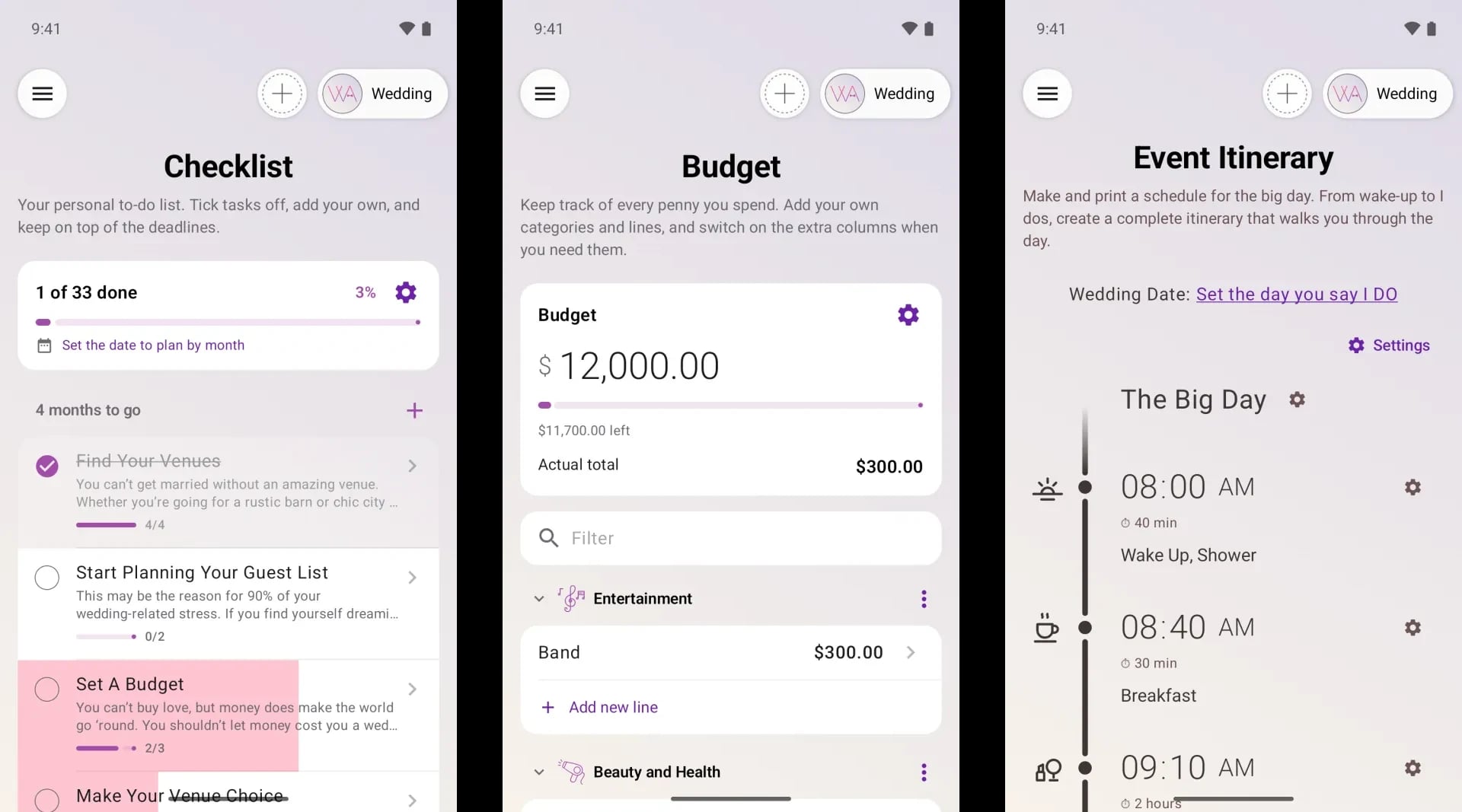
Everything else the wedding needs lives in the same project:
- A wedding checklist with month-by-month templates
- A wedding budget: planned and actual costs by category, payments, due dates and who pays
- The wedding-day itinerary: ceremony, reception, speeches, first dance, minute by minute
- Venues and vendors: dates, locations, weather for the date, contacts, notes and photos
- An overview: an infographic of the whole celebration — guests, budget, timeline and progress at a glance
Plan together
A wedding is never planned alone. Invite your partner, family, friends or your planner to the project, or share a link or a QR code — every change appears on everyone's screen instantly.
A wedding planner can manage several weddings from one account — see our software for wedding professionals.
And not only weddings: birthdays, anniversaries, corporate events and any party with a table plan.
Phone, tablet and computer — one project
Start the seating chart on your phone, finish it on a tablet or at your computer. The app syncs with the web app at planning.wedding in real time, so every change appears everywhere instantly.
For the big tasks a large screen is still the most comfortable choice — and on a computer, the free web app also creates your wedding website, place cards, escort cards, table numbers, menus, welcome signs and programs, all from the same guest list and seating chart.
Is the wedding planner app free?
Yes. The app is free to start and the planning tools are free. Premium unlocks print-ready exports and extra features when you need them.
Do I need an account?
No. You can start planning right away — no sign-up required.
Does the app sync with my computer?
Yes. The app and the web app at planning.wedding work on the same project, and every change appears everywhere instantly.
Can my partner, family or planner plan with me?
Yes. Invite them to the project or share a link or a QR code, and you all see the same plan in real time. A wedding planner can manage several weddings from one account.
Can I print the seating chart?
Yes. Export a print-ready PDF in poster sizes: the seated table plan, an empty floor plan, a catering plan, per-table details and the guest list by table. Print-ready exports are part of Premium.
Which Android devices are supported?
Android phones and tablets with Android 8.0 or later. Your projects stay in sync between your devices and the web app.
Is there an iPhone version?
Yes. The app for iPhone and iPad has the same features and syncs with the web app too.
Wedding Planning Tools
The online Wedding Planning Assistant offers a suite of professional tools designed to help you plan your celebration — whether you’re organizing everything yourself or working hand-in-hand with a wedding planner or coordinator.