Explore more wedding ideas & advice
Discover Why Our Wedding Guest List Manager is Better Than Google Sheets
Explore
Our service has assisted tens of thousands of couples worldwide in planning their dream weddings!
Skip Using Google Sheets for Your Guest List, We’ve Got a Better Idea!
We know from personal experience that wedding planning is tough. It demands your daily attention, requires deep creative and logistic thought, alongside careful juggling of an ever-changing budget. When we planned our wedding way back when, we had zero idea of what we were letting ourselves in for! And we came out of it with a renewed appreciation for loved ones who’d tied the knot before us. But not only that, we also emerged with a newfound determination to improve the wedding planning experience for others. To create free wedding planning tools designed specifically for certain jobs. And we began, after trying and failing to use Google Sheets for our big day, by creating a dedicated guest list manager. A powerful tool that now sits at the integrated heart of our wedding planning suite.
Our guest list template was born from the personal frustration we endured using Google Sheets to manage our invites. We wished there was a way to track RSVPs, and avoid manually updating every cell with fresh information. Together we found the visual style of a spreadsheet, however many templates we tried, to be unstimulating and confusing the more details we added. And what information we did add lived solely on our doc. There was no way to seamlessly integrate the information with our seating plan, wedding website or stationery design. We got through it, as many of our friends did, but we knew we had to create a better alternative for future wedding planners.
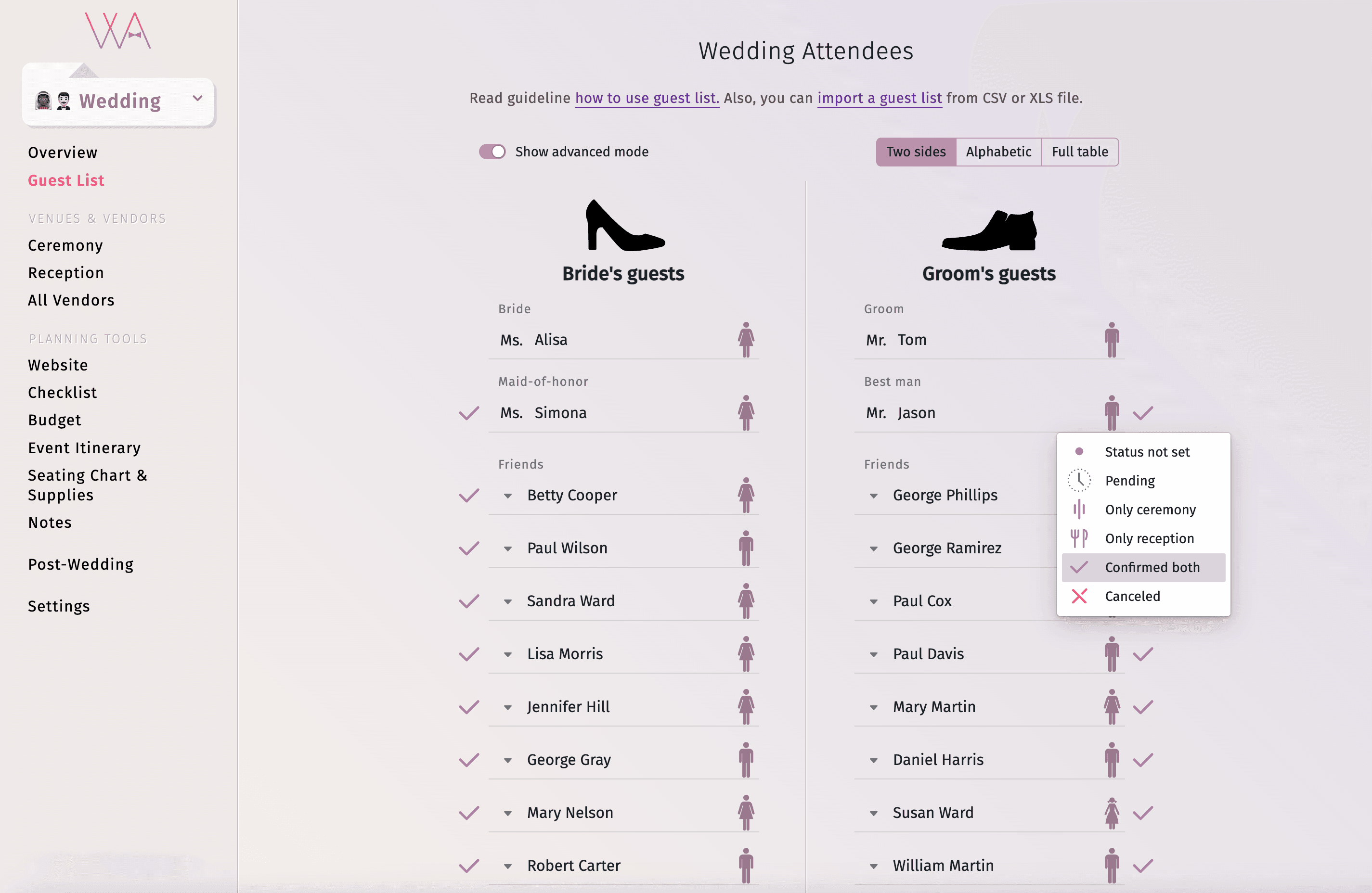
Why Our Free Wedding Guest List Tool is Better Than Google Sheets
There are lots of free Google Sheets templates out there, but our free guest list management tool offers major advantages over all of them! Find out why.
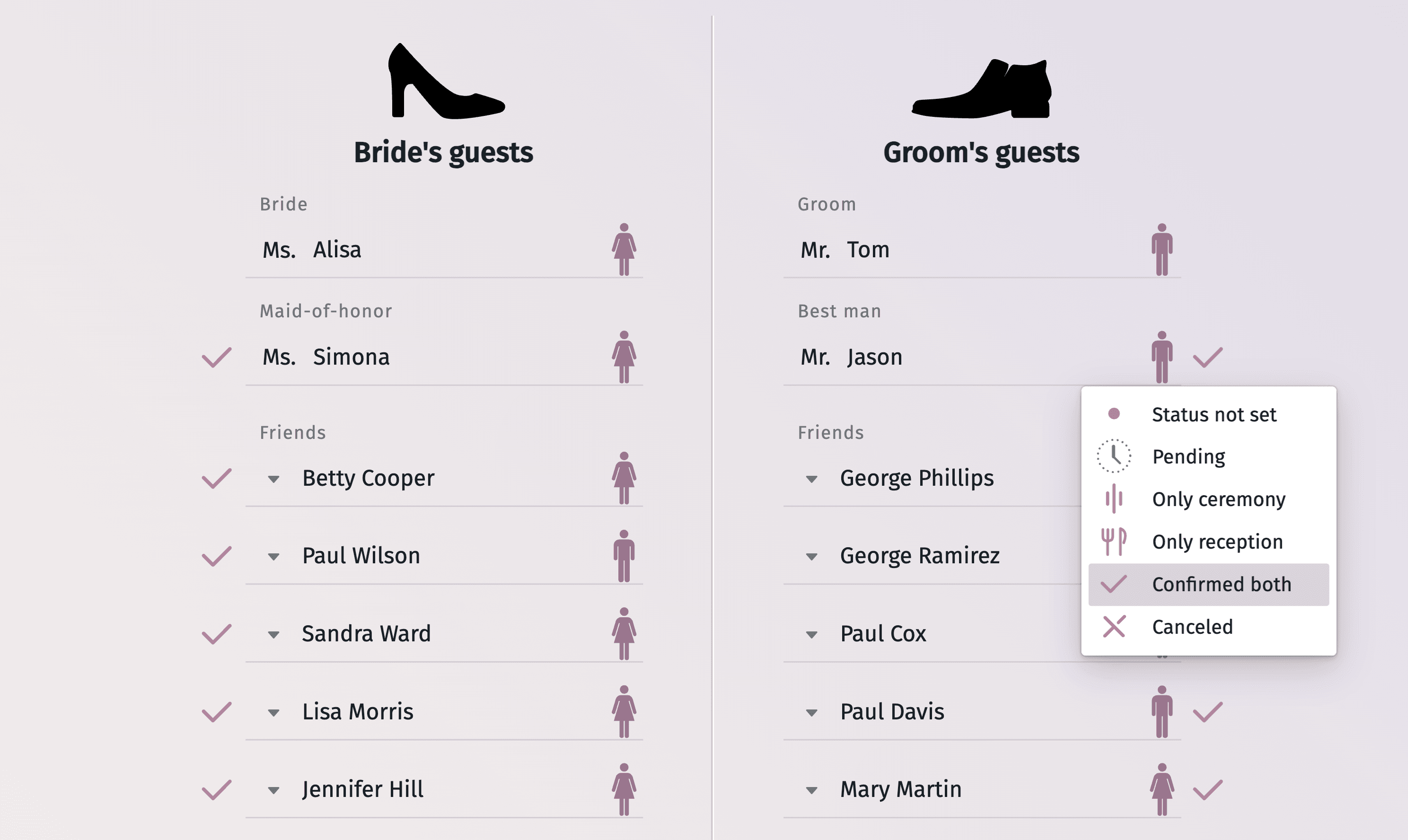
Track Every RSVP
We had to begin with RSVPs because for us, and so many of our couples, the tracking of invitations is the key benefit of using our guest tool. Having an online space that guests can confirm their attendance on, easily share their requirements/requests and send it off in a couple of clicks is great. But then, as the marrying couple, to be notified by email of their response, and have that info automatically added to their guest list (upon approval) - that’s like having your own wedding assistant!
The manual updating of RSVP statuses is not only a chore, and a waste of time, it also produces errors. We’ve heard from countless couples who’ve spelled the names of plus ones wrong, misunderstood dietary requirements and even had to get hotel bookings significantly altered. All because of errors in manually taking information from printed wedding invitation cards, or copying and pasting from one platform to another. Avoid these types of mistakes in your own wedding planning journey, and automate the RSVP process.
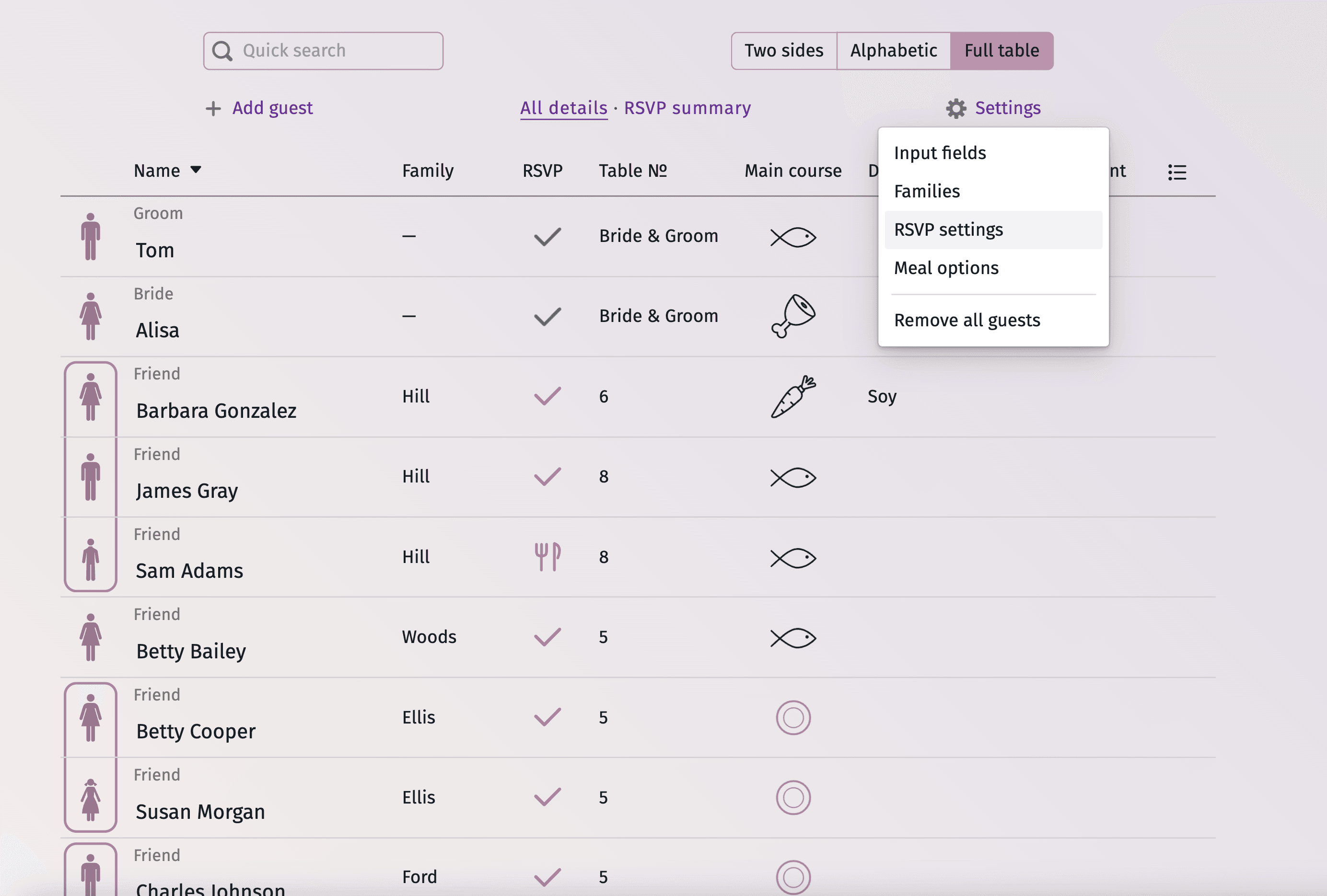
When you create a free wedding website with us, you’ll also have access to our RSVP tool, which is fully integrated with our guest list management platform. What does that all mean? When your guests confirm their attendance to your big day via your wedding website, you’ll receive an email notification to let you know. All of their information (meal preference, dietary needs, allergies, hotel and transport requests, plus one details etc) will be added to your guest list as soon as you accept their reply. In the correct columns, and presented in a pleasing visual style that can be understood easily at a glance.
PLANNING . WEDDING — is easy to remember and even easier to use.
- Seamlessly Manage Meal Preferences & Diet Requirements
- Integration with Other Wedding Planning Apps
- Upgrade the Guest List Making Experience
Seamlessly Manage Meal Preferences & Diet Requirements
A happy wedding guest is a well-fed wedding guest. And a successful catering team is one that’s been supplied with lots of information about their guests. In our experience, giving detailed and easy to understand information to caterers is a sure-fire way of creating a successful reception dining experience. Which is why we made it easy for you to receive guest information, sort it, choose what to share, and then download it in whichever format suits you or your supplier best.
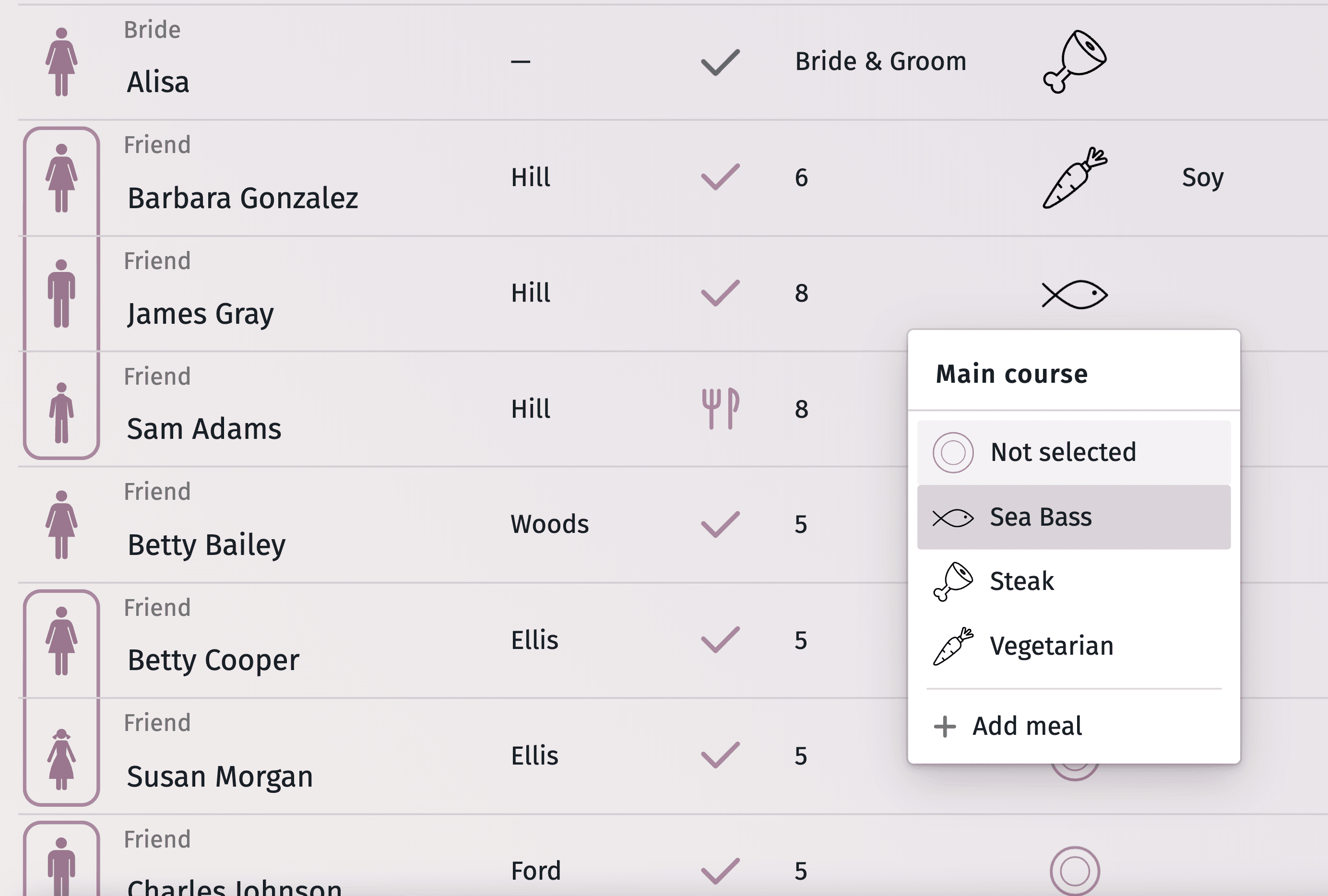
If you’ve ever worked with a guest list spreadsheet template on Google or Excel, you’ll know how easy it is to accidentally sort a column and entirely ruin your work. Or how complex it can be to filter a worksheet based on one attribute, such as allergies, or meal preference. This process often leads to errors, and can be notoriously difficult for suppliers to print or understand! Something that caterers, coordinators, and wedding planners will expect to be able to do.
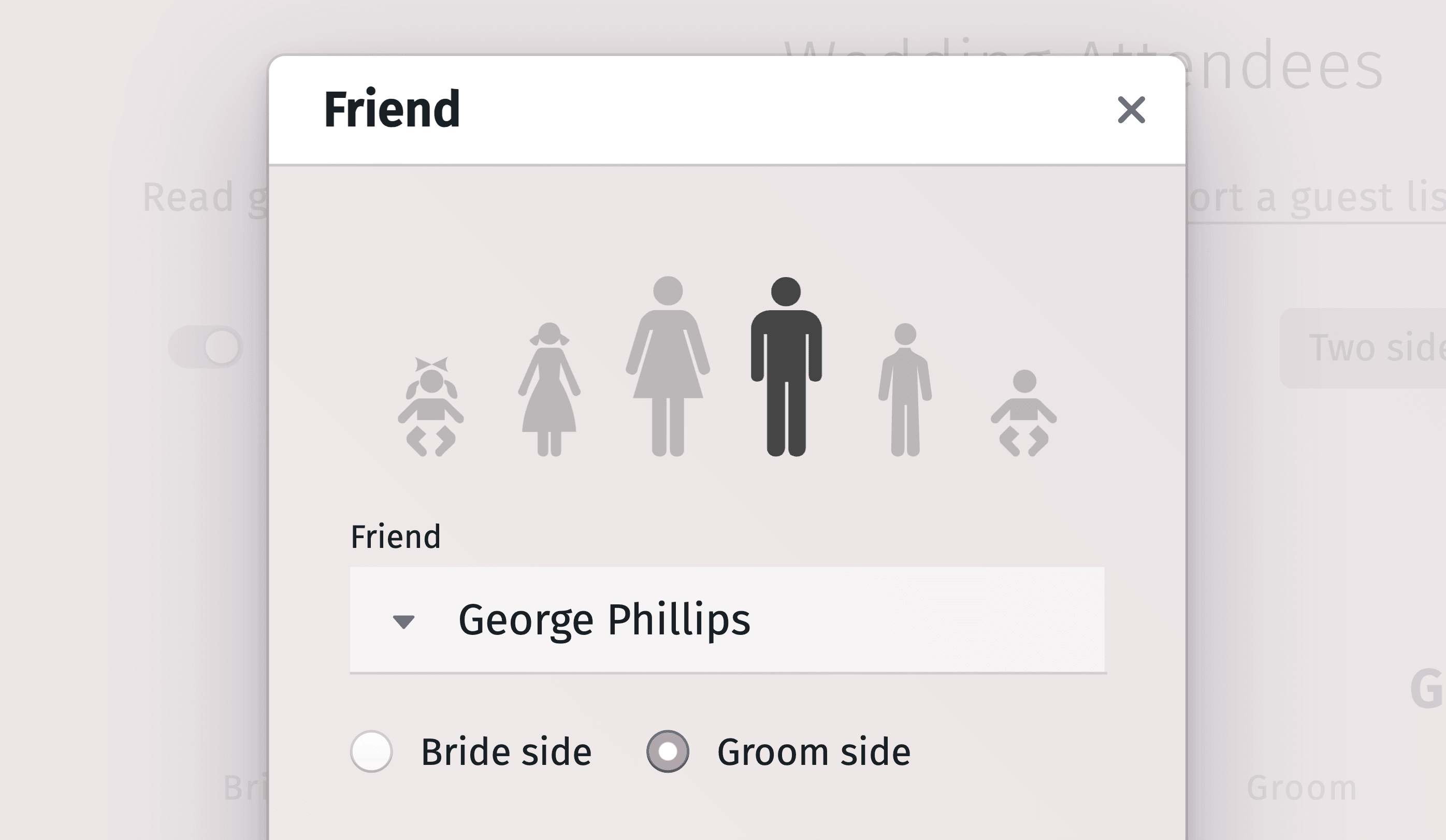
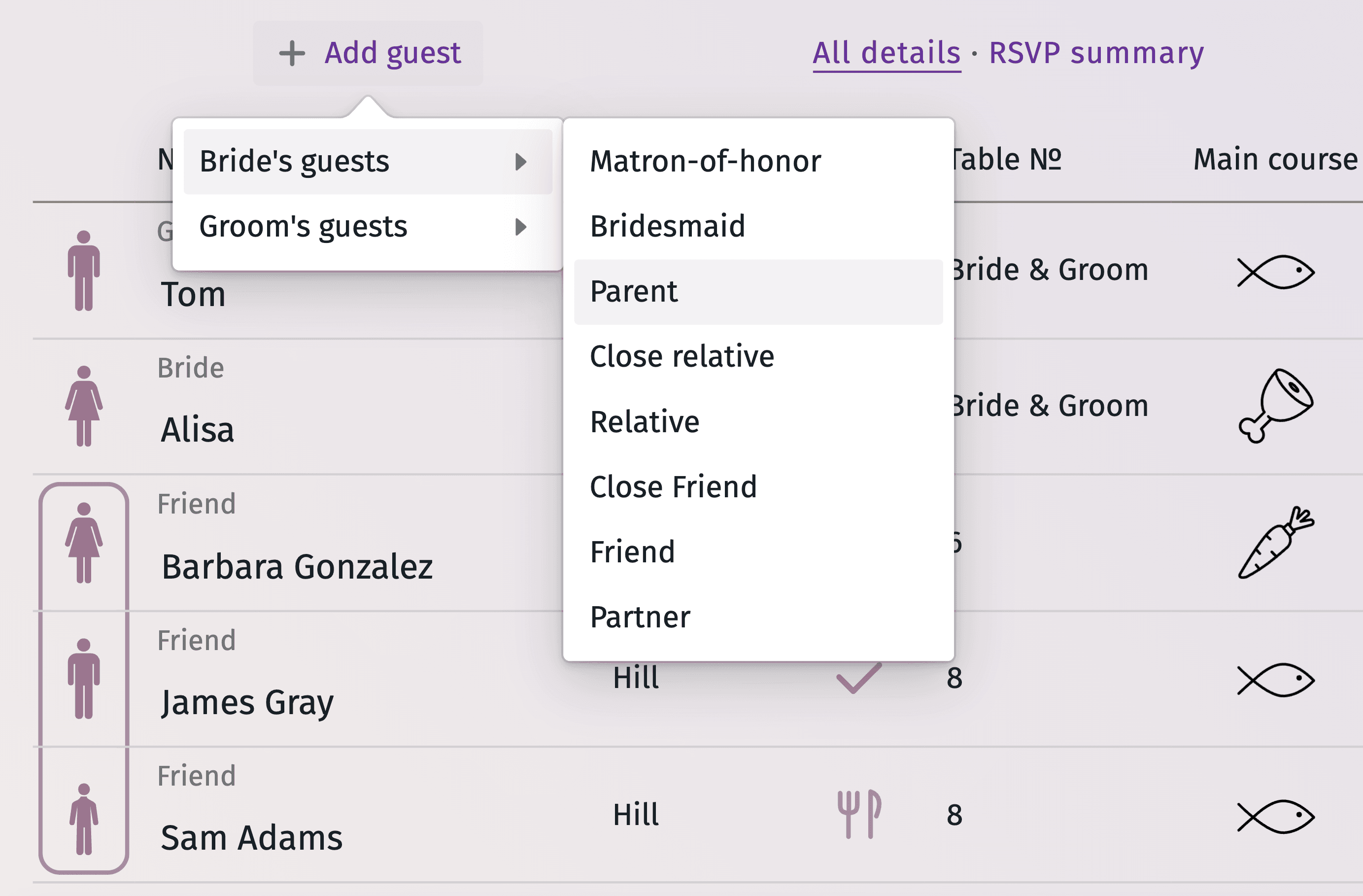
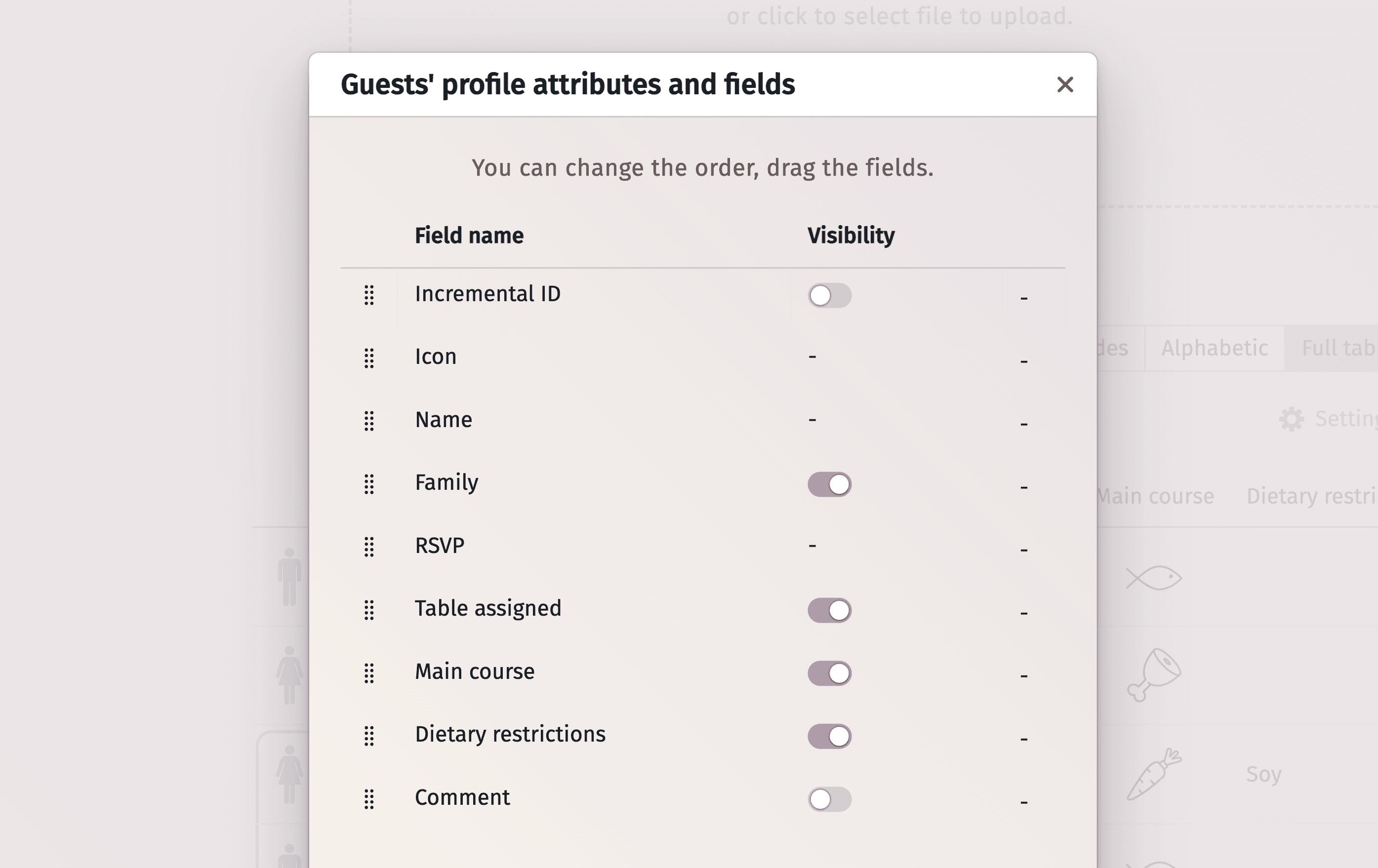
Build your guest list using our free tool, and you’ll discover how simplified the entire experience is. Simply sort the full table by any column, such as meal, allergies or RSVP, then export just the columns each vendor needs, in the order you choose, and only the guests who confirmed (or only the ceremony or reception guests). Your hotel, for instance, only needs names, phone numbers and your custom requests column, such as an airport pickup, nothing else. We make it so easy to tailor that specific list and pick the type of file you’d like to download. And all of that information will be neatly presented, straightforward to understand and simple to print.
Integration with Other Wedding Planning Apps
As we mentioned at the top, our wedding guest list template sits at the heart of our suite of wedding planning tools. And it’s super powerful because it fuels many of the other applications you’ll find in the same wedding project. We’ve already mentioned its integration with our wedding website builder, but not touched on how it can instantly populate your seating chart. A task that couples rarely relish, and that often takes a large amount of time to prepare.
We’ve removed the need to copy and paste your guest list from one platform to another, or worry about the exporting and importing of spreadsheets, by seamlessly linking the two.
Once you’re satisfied with the number of RSVP notifications received, and you’re ready to start seating guests at your reception or ceremony. You can simply click on our seat chart maker, within your private wedding project, and your guest list will be waiting there for you. Ready to be organized effortlessly into position. A godsend for those who’ve been putting off this task for too long, and the last thing they need is admin. We make it easy for you to just start creating, no admin required.
But it’s not just reception plans our guest list is linked to, it’s our stationery designer too. Place cards for your whole event are filled in from the guest list in minutes, with no names to retype on another design platform or special service to pay for. Designing and previewing them is free; the print-ready PDF comes with Premium, a one-time payment per project.
Upgrade the Guest List Making Experience
We hope we’ve given you an insight into why we believe our guest list manager offers a superior experience to Google Sheets. A more intuitive, integrated and straightforward way to wedding plan that doesn’t involve extra learning.
Start your wedding project with us today, and you’ll quickly understand just how powerful our connected suite of tools is, starting with a guest list that’s free to use.
Discover other topics related to wedding guest lists
To help you manage your guest list, Planning.Wedding gives you one project for your whole wedding: the guest list with RSVPs from your wedding website, a seating chart, place cards and other stationery, the budget, checklist and timeline — in the browser, on iPhone and on Android.