Set up your wedding budget
Set the total you plan to spend and the currency, then fill in what things actually cost.
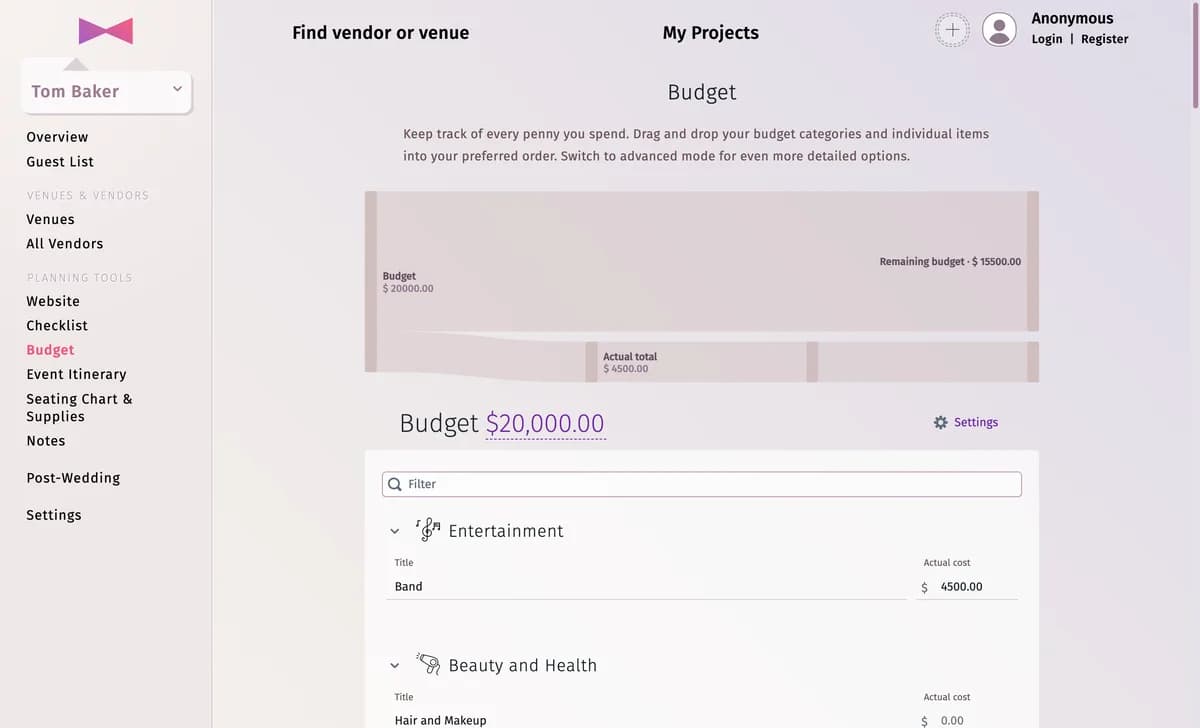
The Budget starts with the usual wedding categories. Set the amount you plan to spend, and as you book things, fill in what they cost — the page shows what is left.
Step by step
Step 1Set the planned total
Click the amount next to Budget at the top (it says “set value” while it is 0) and type your total.
Step 2Choose the currency
Click Settings and pick the Currency. It is the same for every budget of the project.
Step 3Fill in the costs
Type what each item costs in Actual cost. The chart at the top shows the Remaining budget and the Actual total.
Tips and important notes
- Add and rename categories and items — see Budget categories and items.
- Want to track deposits and what is still due? See Track payments.
Updated November 3, 2026