Build your wedding day itinerary
Start from a ready-made schedule of the big day and adjust the times, events and durations.
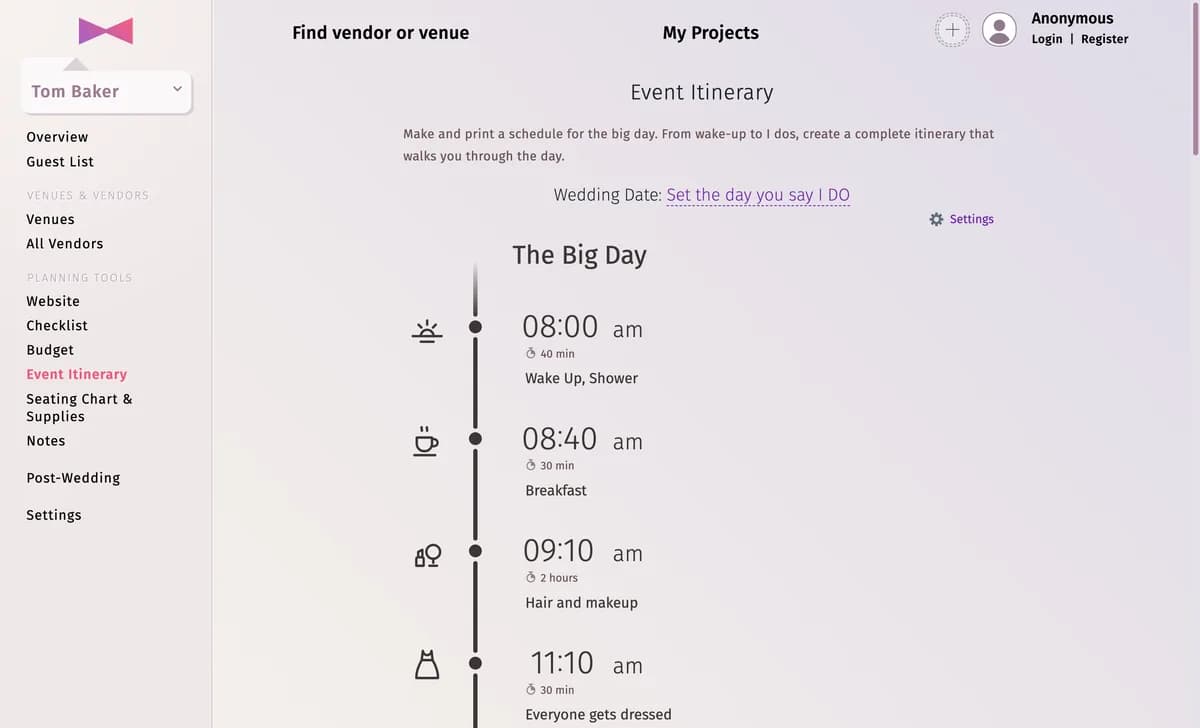
The Event Itinerary starts with a typical schedule of The Big Day — from waking up to the grand exit. Change it to match your day.
Step by step
Step 1Set the wedding date
Click Set the day you say I DO at the top; the days of the itinerary follow it.
Step 2Set the times
Each event has a start time, a title, a duration and an icon. Click any of them to change it.
Step 3Add and remove events
Click Add event under a day to add one. An event’s Event settings let you pick its Event color, Highlight this event or delete it.
Step 4Add more days (optional)
Click Add day for a rehearsal day, the day before or the day after — see Days and events.
Tips and important notes
- Events are always shown in order of their start time.
- Print it or share it — see Export the itinerary.
Updated November 3, 2026