History, snapshots and backups
Restore an earlier version of your chart, save a snapshot, or export the chart to a file.
Open File → History in the editor.
Earlier versions
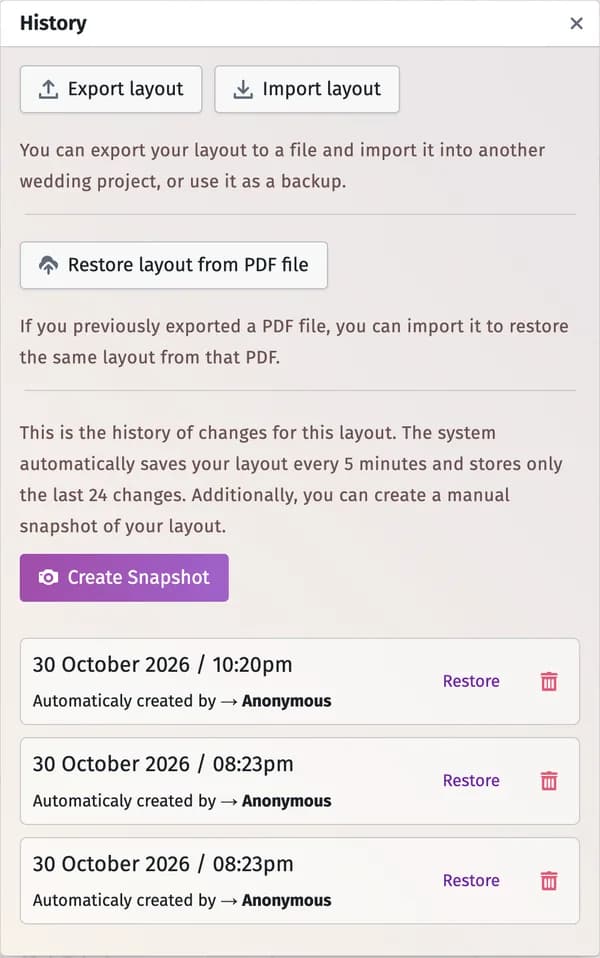
Your chart is saved automatically every 5 minutes, and the last 24 versions are kept. Click Create Snapshot to save the current state yourself — before a big change, for example. Restore next to a version brings it back; the bin deletes it.
A backup file
Export layout downloads the chart as a file. Import layout loads such a file back — into this project or another one.
From a PDF
Restore layout from PDF file rebuilds the chart from a PDF you downloaded from this app before.
Tips and important notes
- For the last few changes, undo is quicker: Ctrl+Z (⌘+Z on a Mac).
- A chart imported into another project keeps the seats only for guests who are in that project.
- On the free plan, an imported chart can’t bring more tables than the plan allows — see Free plan limits.
Updated November 3, 2026