Plan your venues
Put every place of the celebration on one line — the ceremony, the reception and more — with dates, addresses, notes and photos.
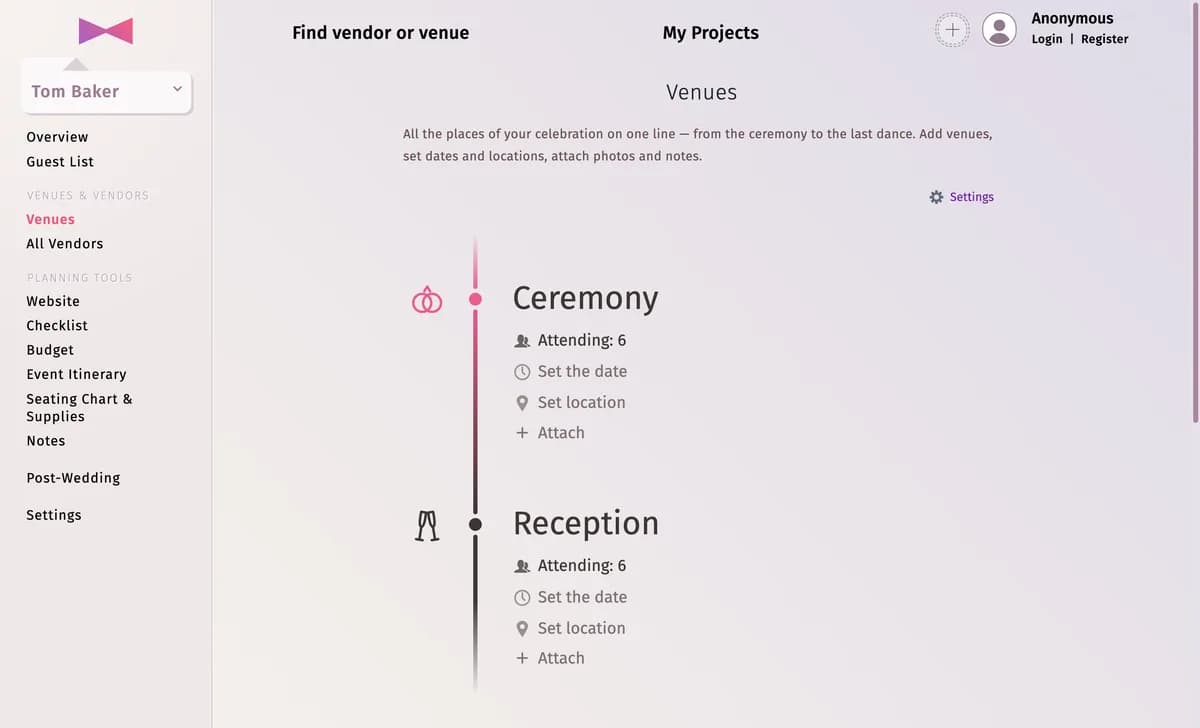
Venues shows all the places of your celebration on one line, from the ceremony to the last dance. It starts with the ceremony and the reception.
Step by step
Step 1Fill in a venue
Under each venue, click Set the date and Set location. The date and address of the ceremony and the reception are shared with the rest of the project.
Step 2Attach details
Attach adds a Note, links Vendors from your vendor list, or uploads Photos of the place.
Step 3Add more places
Click Add venue for a getting-ready spot, the after-party or a hotel. Drag venues to change their order.
Tips and important notes
- The cog next to a venue opens its settings: the weather, the moon phase, who counts as attending, the colour and Delete venue — see Weather and moon phase and Count who comes to each venue.
- Comparing options? Settings → Add another plan creates another plan (up to 4).
- Download PDF file under the venues gives you a printable overview.
Updated November 3, 2026